Connecting a bank with FinTS
Set up FinTS with bank code, server, login and PIN, then fetch accounts and transactions.
FinTS is the German standard for finance software to talk to banks. BizCortex uses it to fetch your accounts and transactions and to send SEPA payment files with a TAN.
Who can use this
- Owner
- Admin
- Accountant
- Anyone with the Banking connection admin permission (to set up)
Steps
1. Choose FinTS
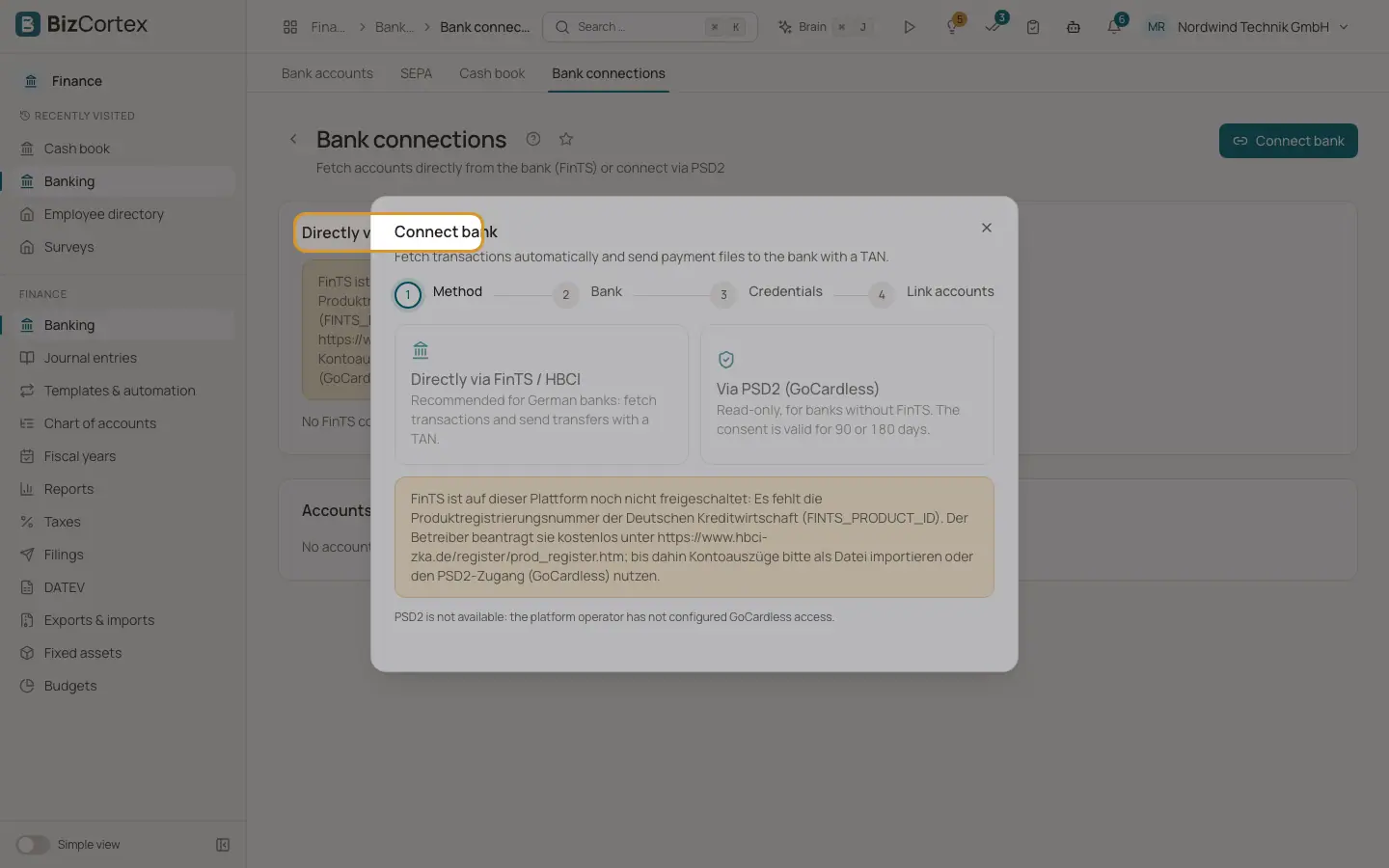
In Bank connections, click "Connect bank" and choose "Directly via FinTS / HBCI".
2. Enter the bank
Enter the "Bank code (BLZ)". For some well known banks (for example ING, DKB, comdirect, Consorsbank, Postbank) and bank groups (Commerzbank, Deutsche Bank, Volksbanken and Raiffeisenbanken), a server address is suggested. Check the "FinTS server URL" against the online banking help of your bank. Savings banks (Sparkassen) use regional servers that you must enter yourself.
3. Enter credentials
Enter your "Login name / user ID", optionally the "Customer ID (optional)", and your "PIN".
4. Decide whether to store the PIN
Switch on "Store PIN encrypted" if transactions should be fetched every day automatically. Without a stored PIN, BizCortex asks for the PIN at every fetch.
5. Choose the mode
"Dry run" means: fetches still go to the real bank (FinTS has no test system), but payment orders are not sent. Leave it off for live use.
6. Save and fetch
Click "Save and fetch accounts". The bank may ask for a TAN. Then link the accounts the bank reports to your BizCortex bank accounts.
Fields and options
- Bank code (BLZ)
The eight digit German bank code.
- FinTS server URL
Listed in the online banking help of your bank, usually under PIN/TAN access for finance software.
- PIN
When stored, it is kept encrypted and never shown again. The field then reads "stored, leave empty to keep".
Tips
- The first fetch from a new device usually needs a TAN or a confirmation in your banking app.
- Transactions are read as CAMT when the bank supports it, otherwise as MT940.
- The first fetch covers the last 90 days. Later fetches start three days before the last successful fetch.
Good to know
- If a stored PIN is wrong, automatic fetching is switched off for all FinTS links, because banks lock access after a few failed logins. Enter the correct PIN and switch "Fetch daily" on again.
- Live FinTS access needs a product registration by the platform operator. Without it, FinTS calls are blocked.
Related
- TAN and PIN dialogs
How BizCortex asks for a TAN, a photoTAN, a chipTAN flicker code, an app confirmation or a payee check.
- Linking accounts and daily fetching
Link bank accounts reported by the bank to BizCortex accounts and fetch new transactions every day.
- Payment files: download or send to the bank
Download the SEPA XML or send it to the bank directly with a FinTS TAN.