Asset detail page
Overview, depreciation schedule, disposals and history of one asset.
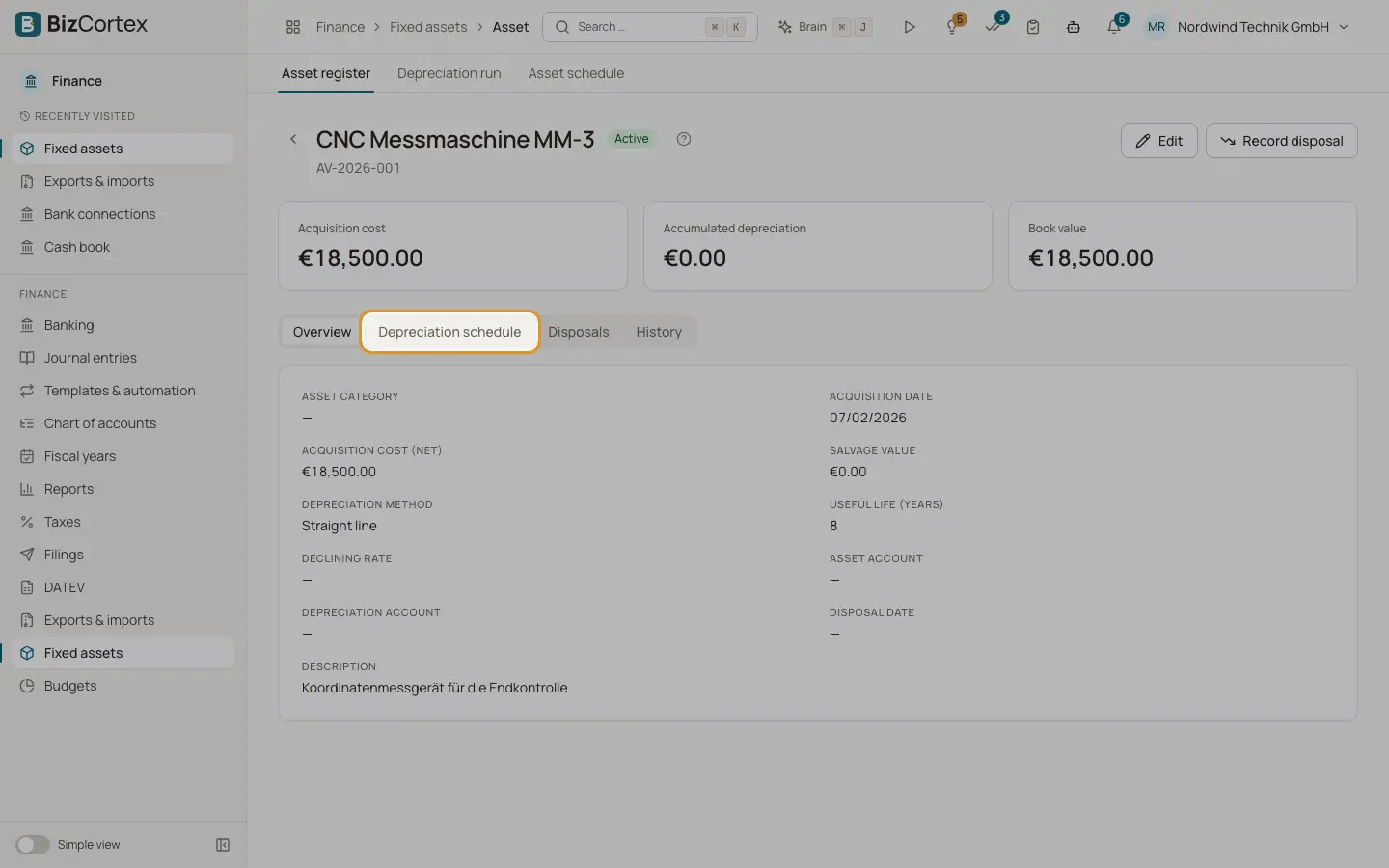
Click an asset in the register. The top shows three figures: Acquisition cost, Accumulated depreciation and Book value. Active assets have the buttons Edit and "Record disposal".
Who can use this
- Owner
- Admin
- Accountant
- Viewer
Steps
1. Overview tab
Shows category, acquisition date, net acquisition cost, salvage value, method, useful life, declining rate, asset account, depreciation account, disposal date and description.
2. Depreciation schedule tab
Lists every period with depreciation amount, accumulated depreciation, book value and status Posted or Planned. Posted rows link to their journal entry.
3. Recalculate
On an active asset, click "Recalculate schedule" to rebuild the planned rows. Posted rows are kept.
4. Disposals tab
Lists each disposal with date, share, cost disposed, book value, net proceeds and the gain or loss.
5. History tab
Shows who created and changed the asset.
Related
- Recording an asset disposal
Record the sale or scrapping of all or part of an asset, with automatic postings.
- Depreciation run
Post the monthly depreciation of all assets to the general ledger.