BWA (business analysis)
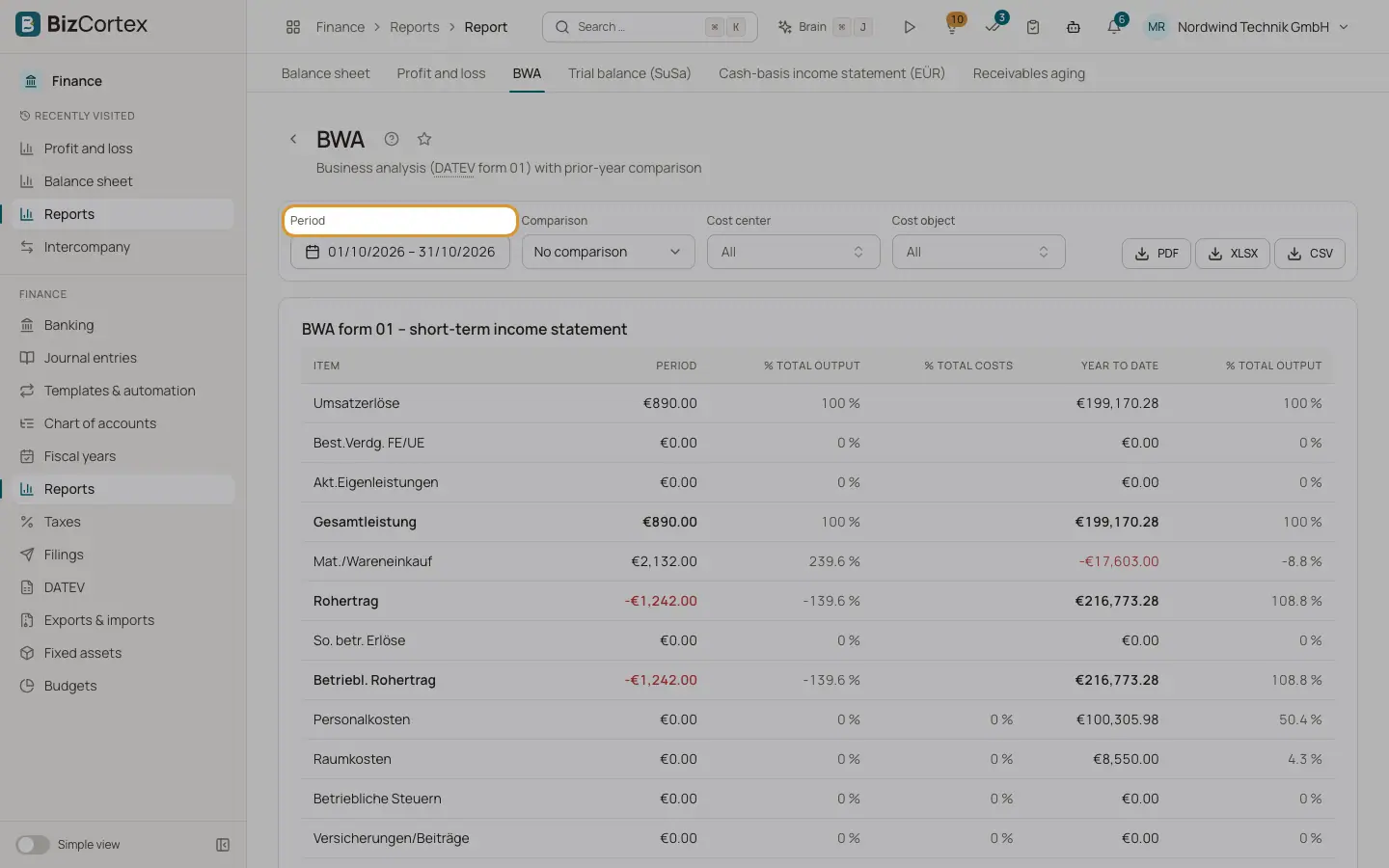
A short term income statement in the style of DATEV form 01, month and year to date.
Open Finance, Reports, BWA, or use the quick task "View the BWA". The BWA (betriebswirtschaftliche Auswertung) is the monthly report German companies know from DATEV. It shows revenue, total output, gross profit, the cost types, total costs, operating result, neutral income and expenses and the preliminary result, each for the period and for the year to date since the start of the fiscal year.
Who can use this
- Owner
- Admin
- Accountant
- Viewer
Steps
1. Choose the month
By default the BWA shows the current month. Set another period if needed.
2. Compare with last year
Choose Previous year under Comparison to add the comparison column and the variance in percent.
3. Filter
Use the cost center and cost object filters for a BWA of one department or project.
Fields and options
- Period
The amount of the selected period.
- % total output
The share of the line in total output (Gesamtleistung).
- % total costs
The share of the line in total costs.
- Year to date
The amount from the start of the fiscal year until the end of the period, with its share of total output.
- Comparison and Var. %
Shown when a comparison is selected.
Related
- Profit and loss
Income, expenses and the result of a period, using the nature of expense method.
- Reports: overview, filters and exports
Open financial reports, filter them, compare periods, drill down and export them as PDF, Excel or CSV.