The bank account page
See the open lines of one bank account, edit it, fetch transactions, apply rules and open the reconciliation.
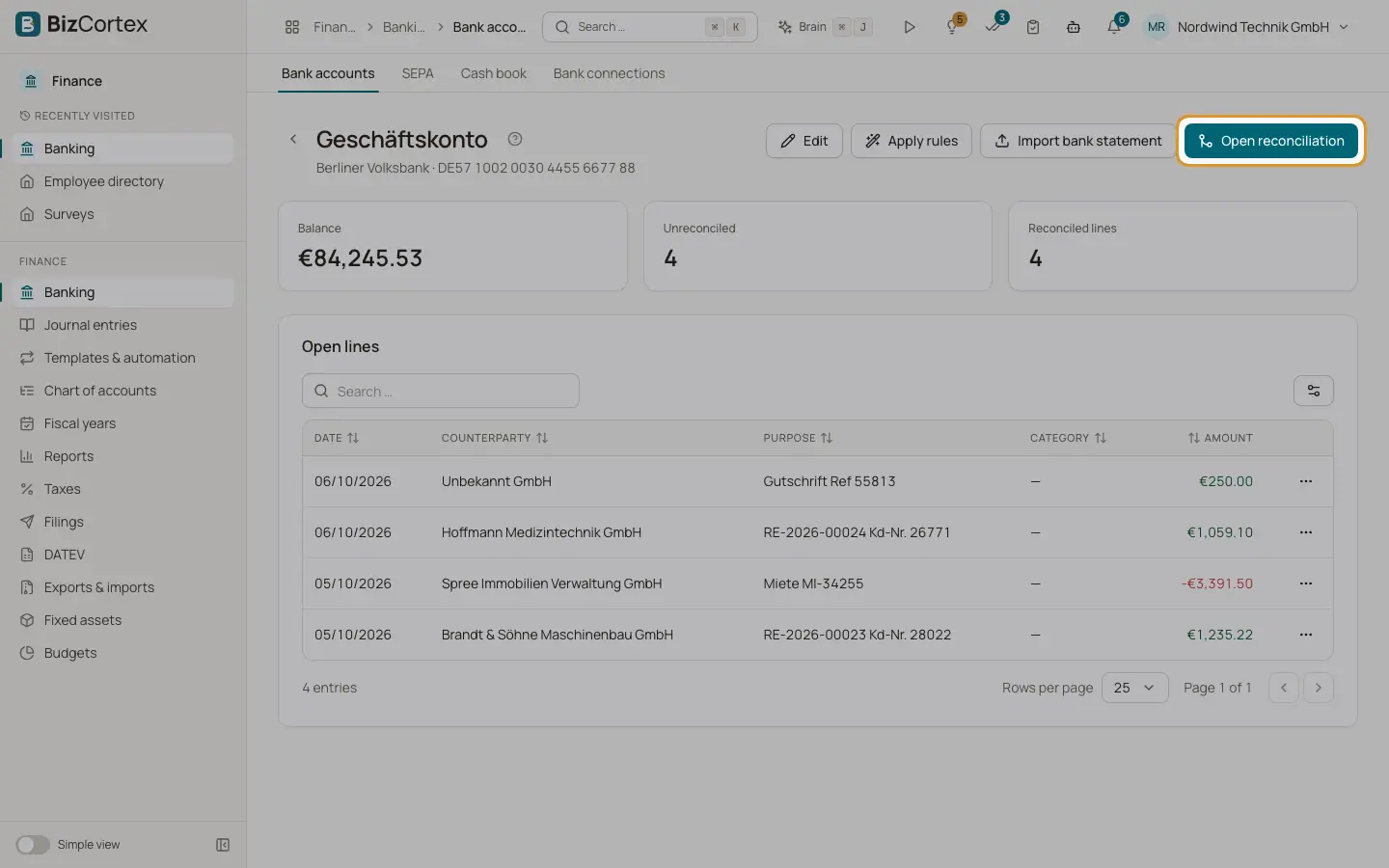
Click a bank account in the list to open its page. The header shows the account name, the bank and the formatted IBAN. Three cards show the "Balance", the number of "Unreconciled" lines and the number of "Reconciled lines".
Below, the table "Open lines" lists every transaction that is not reconciled yet, with date, counterparty, purpose, category and amount. When everything is done, the table shows "All lines are reconciled".
Who can use this
- Owner
- Admin
- Accountant
- Viewer (read only)
Steps
1. Edit the account
Click "Edit" to change name, bank, IBAN, type, the "Creditor ID (SEPA)" and the "Active" switch.
2. Fetch transactions
If the account is linked to a bank connection, the button "Fetch transactions" appears. It asks the bank for new transactions. FinTS may ask for your PIN or a TAN.
3. Apply rules
Click "Apply rules" to run all active matching rules over the open lines. A message shows how many lines were checked, matched and posted.
4. Import a statement
Click "Import bank statement" to open the import wizard with this account already selected.
5. Open reconciliation
Click "Open reconciliation" to work through the open lines with suggestions.
6. Link a journal entry directly
In the row menu of an open line, choose "Link journal entry". Select an existing journal entry and click "Link". The line is marked as reconciled and no new posting is created.
Fields and options
- Creditor ID (SEPA)
Your SEPA creditor identifier (Gläubiger ID), for example DE98ZZZ09999999999. It is required before you can create direct debit files from this account.
- Active
Inactive accounts stay in the books but are no longer used for new work.
Good to know
- A line that is already reconciled cannot be linked again. Undo the reconciliation first.
Related
- Reconciling bank transactions
Match each bank line with an invoice, a bill, a journal entry or an account, using scored suggestions.
- Matching rules
Rules categorise recurring bank lines and can post them to a counter account automatically.
- Importing a bank statement
Upload or paste a statement file; the format is detected, duplicates are skipped and rules run automatically.
- Creating SEPA direct debits (pain.008)
Collect customer invoices by direct debit using your mandates.