Finance at a glance
What the Finance app contains, how it is organised and who can use which part.
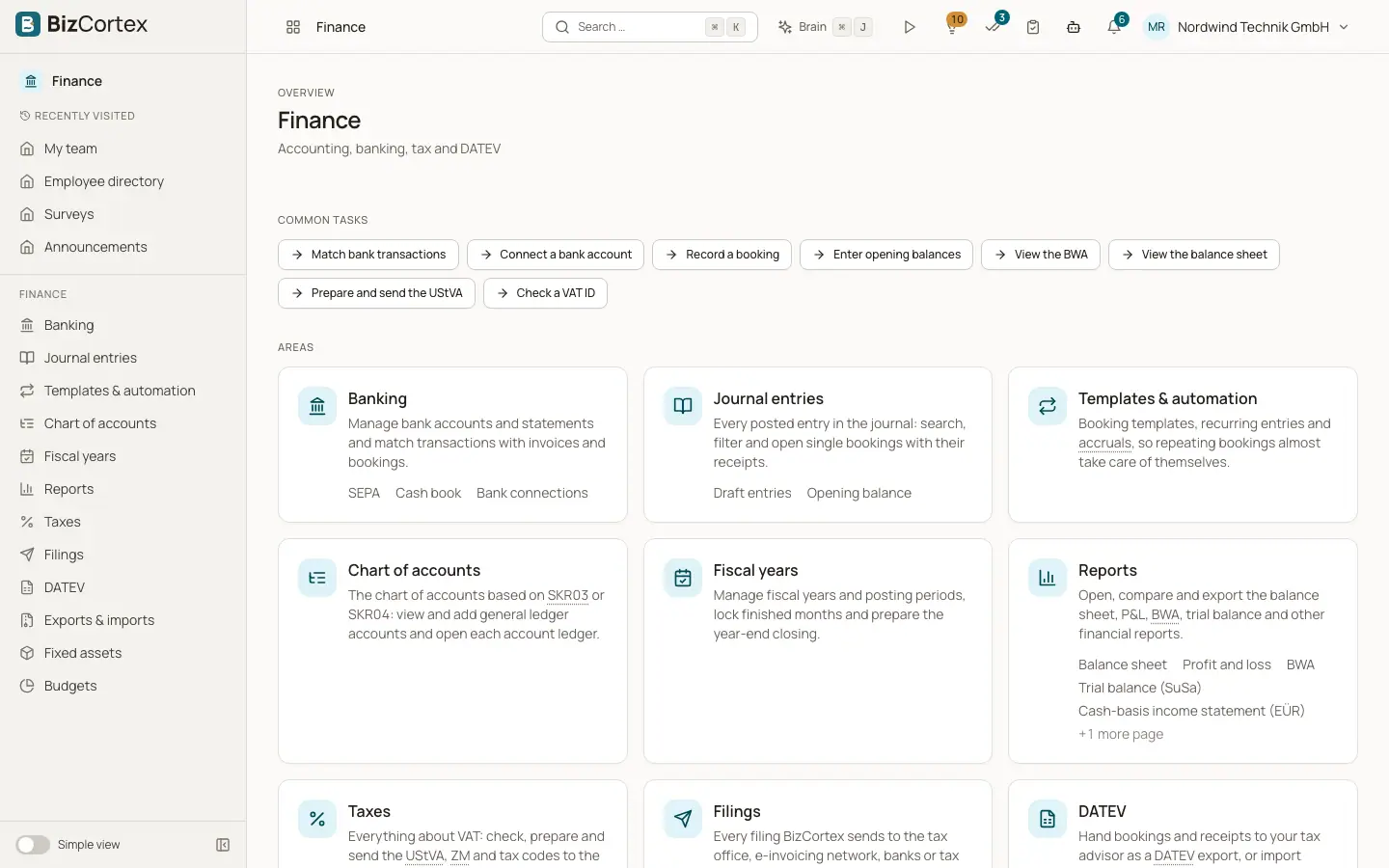
Open the app launcher and choose Finance. The sidebar of the Finance app groups everything you need for double entry bookkeeping: Journal entries, Templates and automation, Chart of accounts, Cost centers and cost objects, Fiscal years, Intercompany, Reports, Currencies, Fixed assets, Budgets and Leave liability. Banking, tax, DATEV and filings are also in the Finance app and are described on their own pages.
Every figure in Finance comes from the general ledger. Sales invoices, purchase bills, payments, depreciation, accruals and manual entries all end up as posted journal entries, and all reports are calculated from these entries. Posted entries can never be changed or deleted. Corrections are always made with a reversal and a new entry, as German GoBD rules require.
Who can use this
- Owner
- Admin
- Accountant
- Viewer (read only)
Steps
1. Open the Finance app
Click the app launcher and choose Finance. The sidebar shows the areas you have permission for.
2. Use the quick tasks
Some sidebar items offer quick tasks, for example "Record a booking" and "Enter opening balances" under Journal entries, "View the BWA" and "View the balance sheet" under Reports, "Post the depreciation run" under Fixed assets and "Create a budget" under Budgets.
3. Show the advanced items
In the Simple view some sidebar items are hidden because most small companies do not need them: Recurring entries, Accruals, Cost centers and cost objects, Intercompany, Currencies, FX revaluation, Asset categories, Envelope budget, Forecast, E Bilanz and Leave liability. Switch off the Simple view to see them.
Fields and options
- Owner and Admin
Full access to all Finance areas, including locking periods and closing fiscal years.
- Accountant
Full access to accounting, reports, fixed assets, budgets and currencies. Accountants can also see the leave liability totals per department.
- Viewer
Can open and read everything in Finance but cannot create, post or change anything.
- Sales and Purchase
Can read the chart of accounts and the currencies, which they need for invoice and bill lines. They do not see journal entries or reports.
- HR manager
Can read cost centers and can open the leave liability report.
Tips
- Finance is part of the Finance package. If you do not see the Finance app in the launcher, ask the owner of the company to book the package.
- Many reports let you click an account to jump to its account ledger, and from there to the single journal entry.
Related
- Chart of accounts
View, search, add, edit and archive the general ledger accounts of your company.
- Draft entries and the journal entry editor
Prepare entries as drafts, check them, and post them to the ledger one by one or in bulk.
- Reports: overview, filters and exports
Open financial reports, filter them, compare periods, drill down and export them as PDF, Excel or CSV.