ELSTER: sending German tax returns
Create German tax returns as drafts, check them with ERiC and send them to the tax office through ELSTER.
ELSTER is the electronic filing system of the German tax administration. BizCortex builds the return from your ledger or payroll, creates a draft under Filings, checks it with the official ERiC library and sends it. The protocol of the tax office is archived as receipt.
Supported returns: the UStVA (monthly or quarterly VAT return), the filing extension application with special prepayment, the annual VAT return, the EC sales list (ZM, sent to the BZSt), the payroll tax return (LStA), the annual payroll tax certificates (LStB) and the E Bilanz.
Who can use this
- Owner
- Admin
- Accountant (tax returns)
- HR manager (payroll tax drafts)
- Anyone with the Tax return approve permission (to send tax returns)
Steps
1. Set up the connection
An owner or admin opens the Admin app, Settings, "Connections", and opens the ELSTER card. Enter the tax number (13 digit ELSTER format), optionally the tax office number (by default the first four digits of the tax number) and a separate payroll tax number. Upload the ELSTER certificate (.pfx file) and enter its PIN. Click "Check connection" to verify that the certificate opens.
2. Create the draft
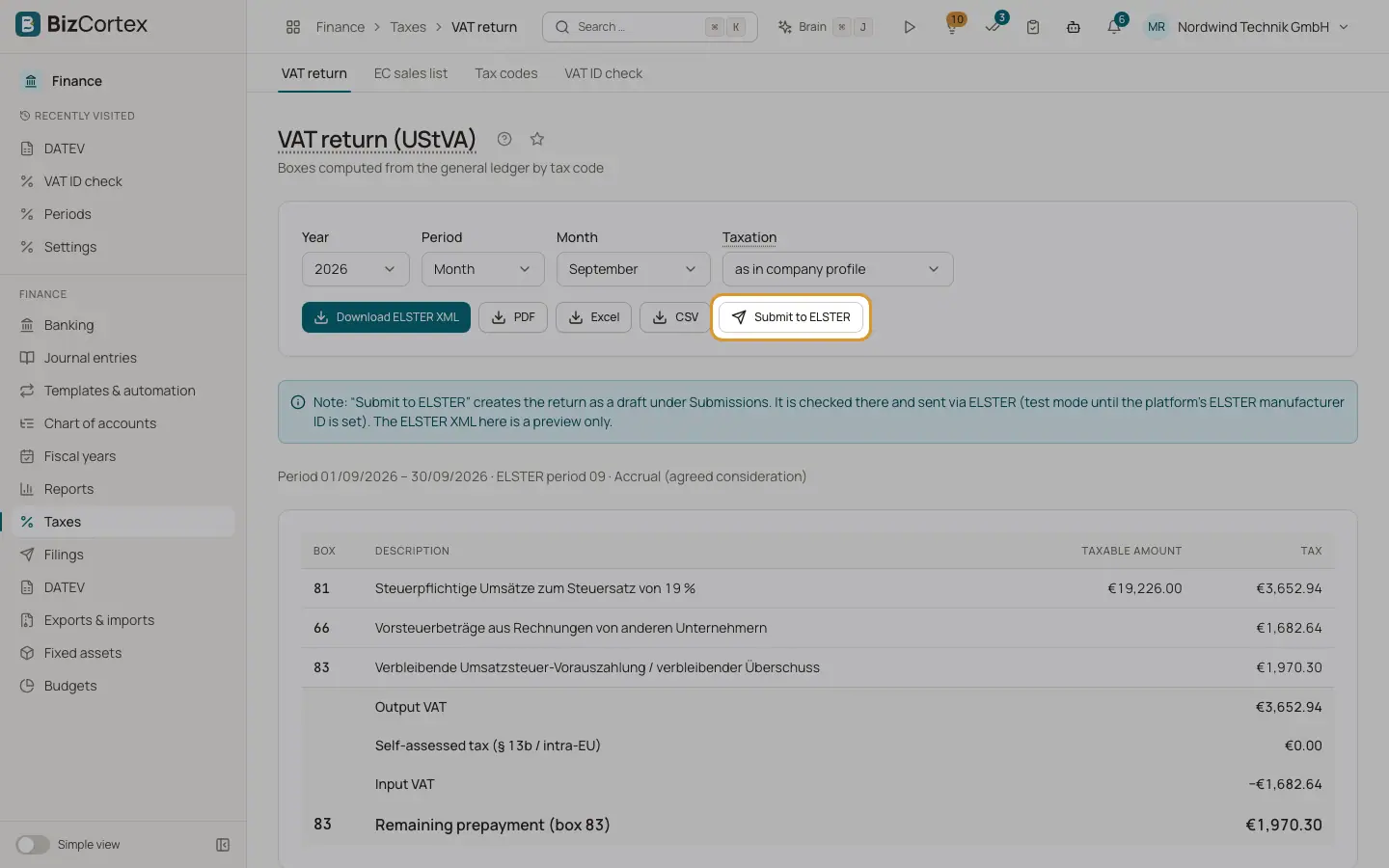
On the UStVA page click "Submit to ELSTER" (or the matching button on the ZM, filing extension or payroll pages). The draft opens under Filings.
3. Check
Click "Check". ERiC validates the file and lists errors and warnings.
4. Send
Click "Approve & send" and confirm. Test mode sends to the ELSTER test system without legal effect; live mode files the return for real.
5. Keep the receipt
When the tax office has accepted the return, download the protocol with "Download receipt".
6. Correct a return
A sent return is never changed. A corrected return is a new filing that refers to the original one.
Good to know
- Test mode is used when there is no connection or the connection is in test mode. Test files carry the ELSTER test marker.
- Live mode cannot be switched on until the platform operator has set an ELSTER manufacturer ID.
- The mode is fixed when the draft is created. A test draft is never sent live.
- The structures of the annual VAT return, the LStB and the E Bilanz are not yet verified against the official schemas. ERiC checks every file before sending, so an unverified structure fails the check instead of reaching the tax office. Validate a test case before switching these to live.
- ELStAM (fetching employee tax data) is not available yet.
Related
- German VAT return (UStVA)
Compute the monthly or quarterly UStVA from your bookings, download it and send it to ELSTER.
- EC sales list (ZM)
Quarterly list of tax free supplies and services to business customers in other EU countries.
- Filing extension and special prepayment
Calculate the special prepayment for the German permanent filing extension and post it.
- Filings and connections
One list of everything BizCortex sends to tax offices, networks, banks and your tax adviser, with status, receipt and history, plus the connection settings.