Opening balances
Enter the opening balances of your balance sheet accounts when you start with BizCortex.
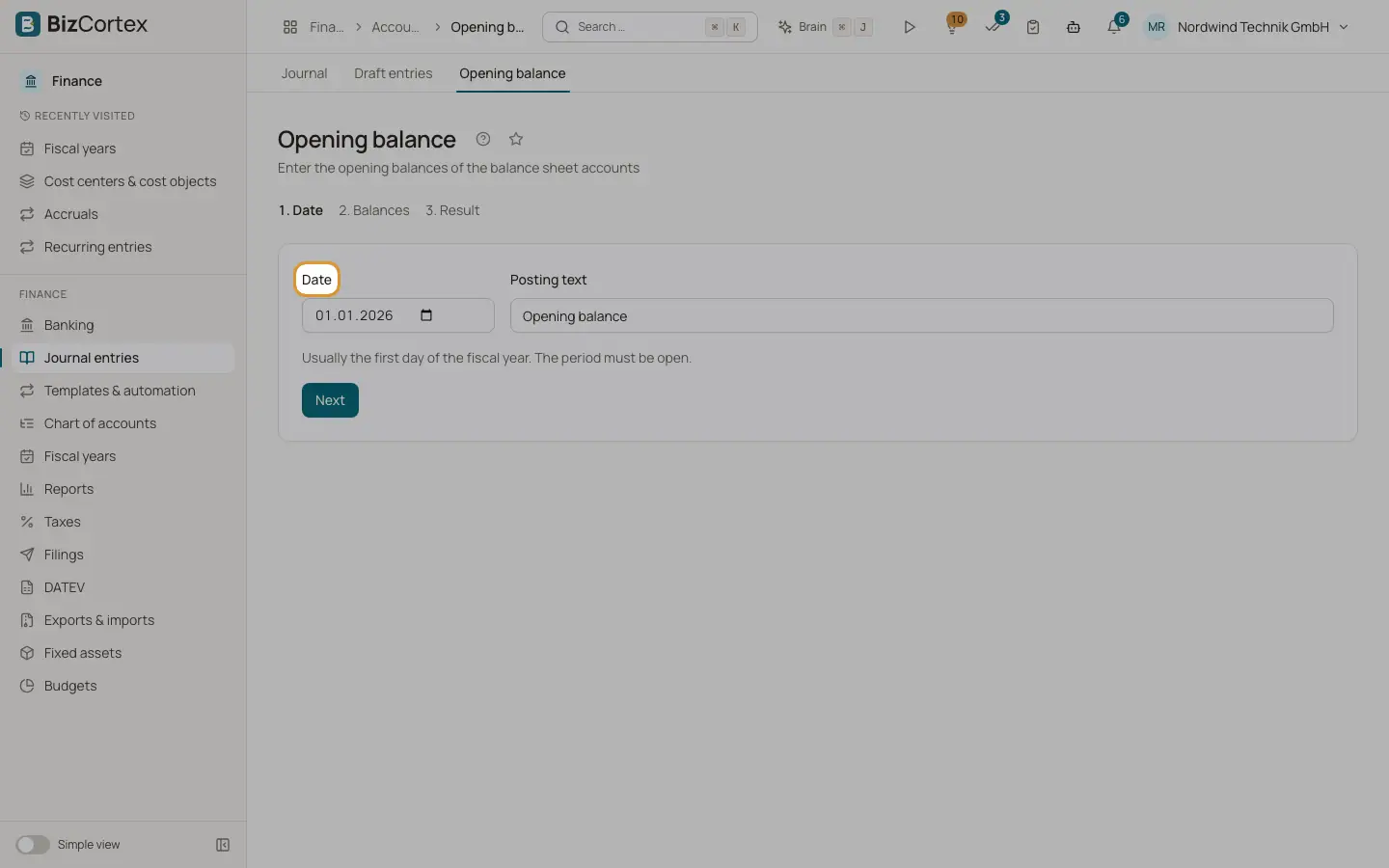
Open Finance, Journal entries, Opening balance, or use the quick task "Enter opening balances". When you move to BizCortex during or at the start of a year, enter the balances of bank, cash, receivables, payables, equity and other balance sheet accounts here. The wizard has three steps: Date, Balances and Result.
Who can use this
- Owner
- Admin
- Accountant
Steps
1. Step 1: Date
Choose the Date, usually the first day of the fiscal year. The period must be open. Adjust the Posting text if you like (default "Opening balance") and click Next.
2. Step 2: Balances
Add one line per account with "Add line". Only balance sheet accounts can be chosen. Enter each balance in its natural sign: assets on the debit side, liabilities and equity on the credit side. A negative value flips the side.
3. Check the totals
The box below shows the debit total, the credit total and either "Balanced" or the difference to the carry forward account 9000. Each account may appear only once.
4. Choose the options
Switch on "Only post when balanced" to refuse a posting with a difference. Otherwise the difference is posted to the carry forward account. Use the second switch to choose between Post and "Create as draft".
5. Step 3: Result
Click Post (or "Create as draft"). The result shows the totals and the amount booked to 9000, with a link to the entry or the draft.
Good to know
- Only one opening balance can be posted per date.
- Income and expense accounts are not allowed in the opening balance.
- If all balances are zero, nothing is posted.
- The carry forward account is 9000 in SKR03 and SKR04. Other charts use their own carry forward account.
Related
- Year end closing
Close the profit and loss accounts, carry the balances forward and lock the year with a guided wizard.
- Chart of accounts
View, search, add, edit and archive the general ledger accounts of your company.