Reversing a journal entry
Correct a posted entry by posting a reversal (Storno) with swapped debit and credit.
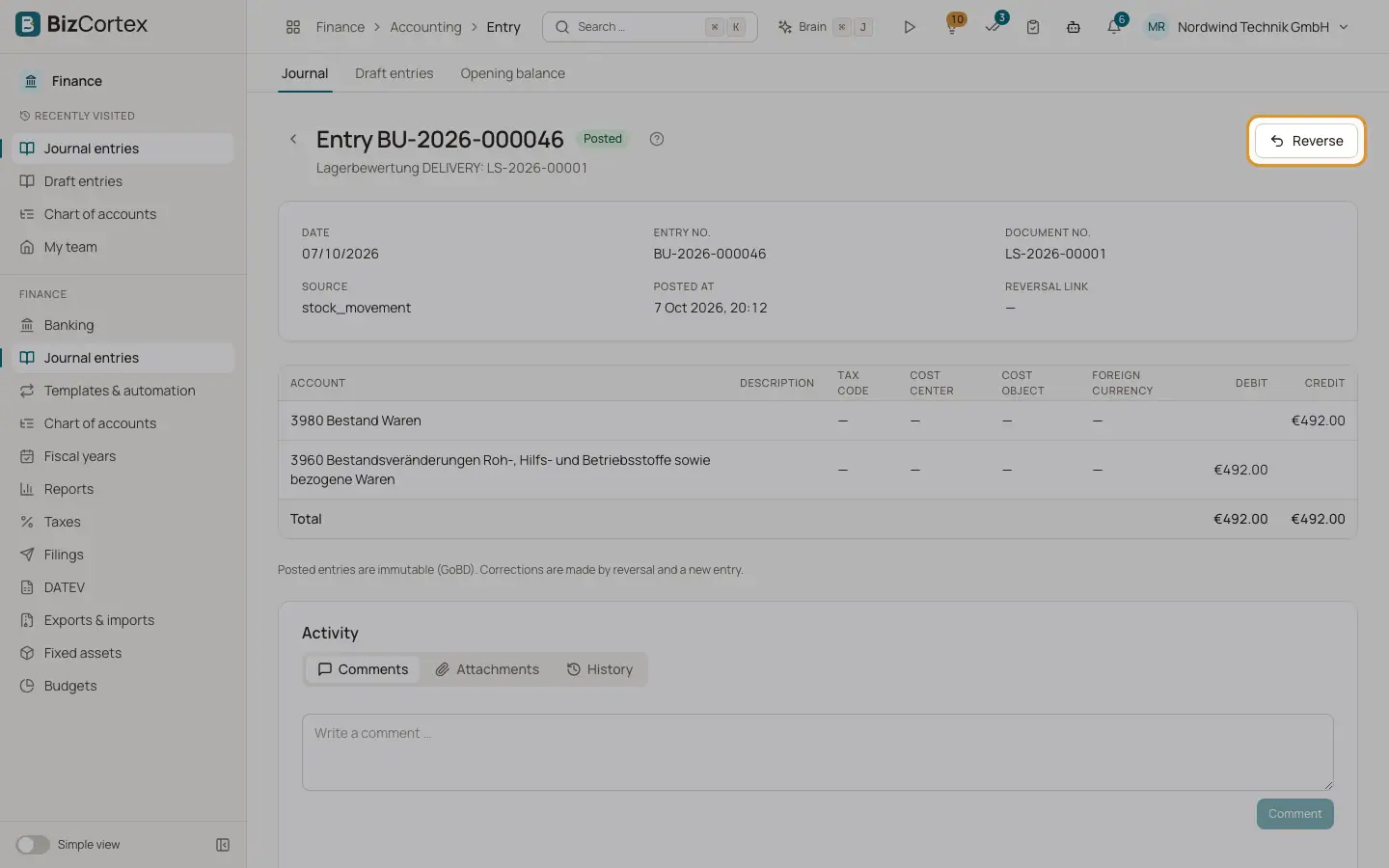
Because posted entries cannot be changed, a mistake is corrected in two steps: you reverse the wrong entry and then post a correct one. The reversal is a new entry with the same lines but debit and credit swapped. The original entry stays unchanged and is marked as Reversed. Both entries link to each other.
Who can use this
- Owner
- Admin
- Accountant
Steps
1. Open the entry
Go to Finance, Journal entries and click the entry you want to correct.
2. Click Reverse
Click "Reverse" at the top right. The dialog "Reverse entry" opens.
3. Enter date and reason
Choose the Reversal date (today by default) and enter a Reason. The reason is required and becomes the posting text of the reversal.
4. Confirm
Click "Reverse". The reversal is posted, and the detail page shows the link "Reversed by". Then record the correct entry as a new draft.
Good to know
- An entry can only be reversed once.
- A reversal entry itself cannot be reversed again.
- The reversal date must be in an open fiscal year and an unlocked period. If the original month is locked, choose a date in an open month.
Related
- Journal entries
The journal of all posted entries, and the detail view of a single entry.
- Posting rules and immutability
The checks every posting must pass and why posted entries can never be changed.