Cash entries, reversals and the daily close
Record cash income and expenses, correct them by reversal and close each day.
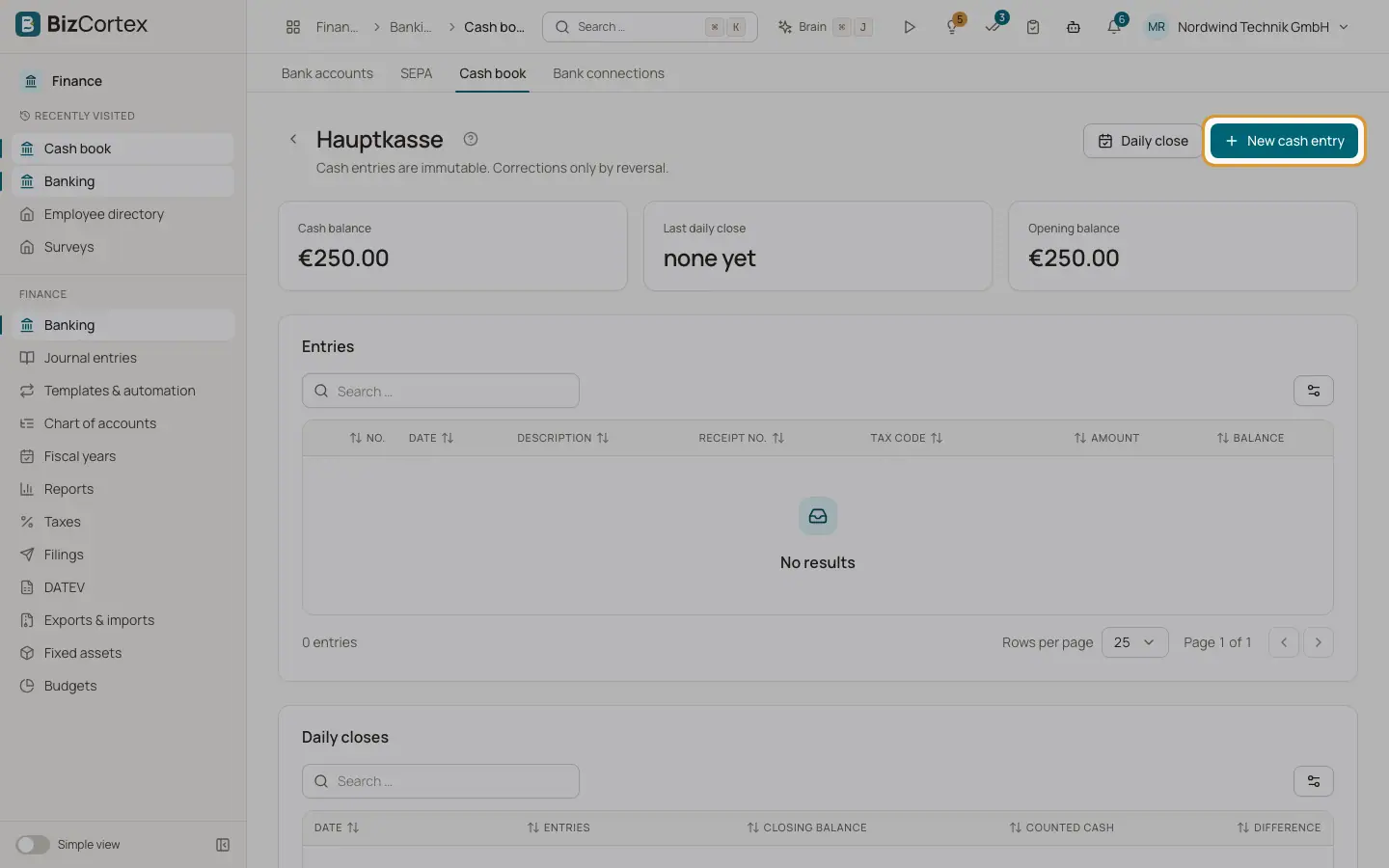
Inside a cash register you see the cards "Cash balance", "Last daily close" and "Opening balance", the table "Entries" and the table "Daily closes". The page reminds you: "Cash entries are immutable. Corrections only by reversal."
Every entry gets the next number without gaps and is posted to the ledger at once: cash account against the counter account, with the VAT split of the tax code.
Who can use this
- Owner
- Admin
- Accountant
- Anyone with the Banking cash book write permission (entries)
- Anyone with the Banking cash book approve permission (daily close)
Steps
1. Record an entry
Click "New cash entry". Enter the date, choose "Income" or "Expense", enter the "Amount (gross)", a description and the "Counter account". Optionally choose a "Tax code" and enter the "Receipt no.". Save.
2. Reverse an entry
In the row menu of an entry, choose "Reverse". Enter a "Reason" and confirm. A reversal entry with the opposite amount is created and the original posting is reversed in the ledger.
3. Close a day
Click "Daily close". Choose the date and optionally enter the "Counted cash". Confirm. The close stores the "Closing balance", the counted cash, the "Difference" and the number of entries of that day.
Fields and options
- Amount (gross)
Greater than zero. Income increases the cash balance, expense decreases it.
- Description
Required, up to 500 characters.
- Counter account
Required. It must differ from the cash account.
- Receipt no.
Optional, up to 100 characters. Used as posting reference; without it the reference is the cash entry number.
- Balance
The running cash balance after each entry.
Good to know
- Cash entries can never be changed or deleted.
- Entries must be recorded in date order. An entry cannot be dated before the last entry, in the future, before the opening date, or on or before a closed day.
- An expense that would make the cash balance negative is refused.
- A reversal cannot be reversed again, an entry can be reversed only once, and a reversal cannot be dated before the original entry.
- Future days cannot be closed, and each day can be closed only once. After the close, no entries on or before that day are possible.
- An inactive cash register accepts no new entries.
Related
- Cash book: cash registers
Set up cash registers for cash income and expenses, kept in line with the German GoBD rules.
- Tax codes
View and maintain the VAT codes with their rate, category, return boxes, DATEV key and OSS country.