Year end closing
Close the profit and loss accounts, carry the balances forward and lock the year with a guided wizard.
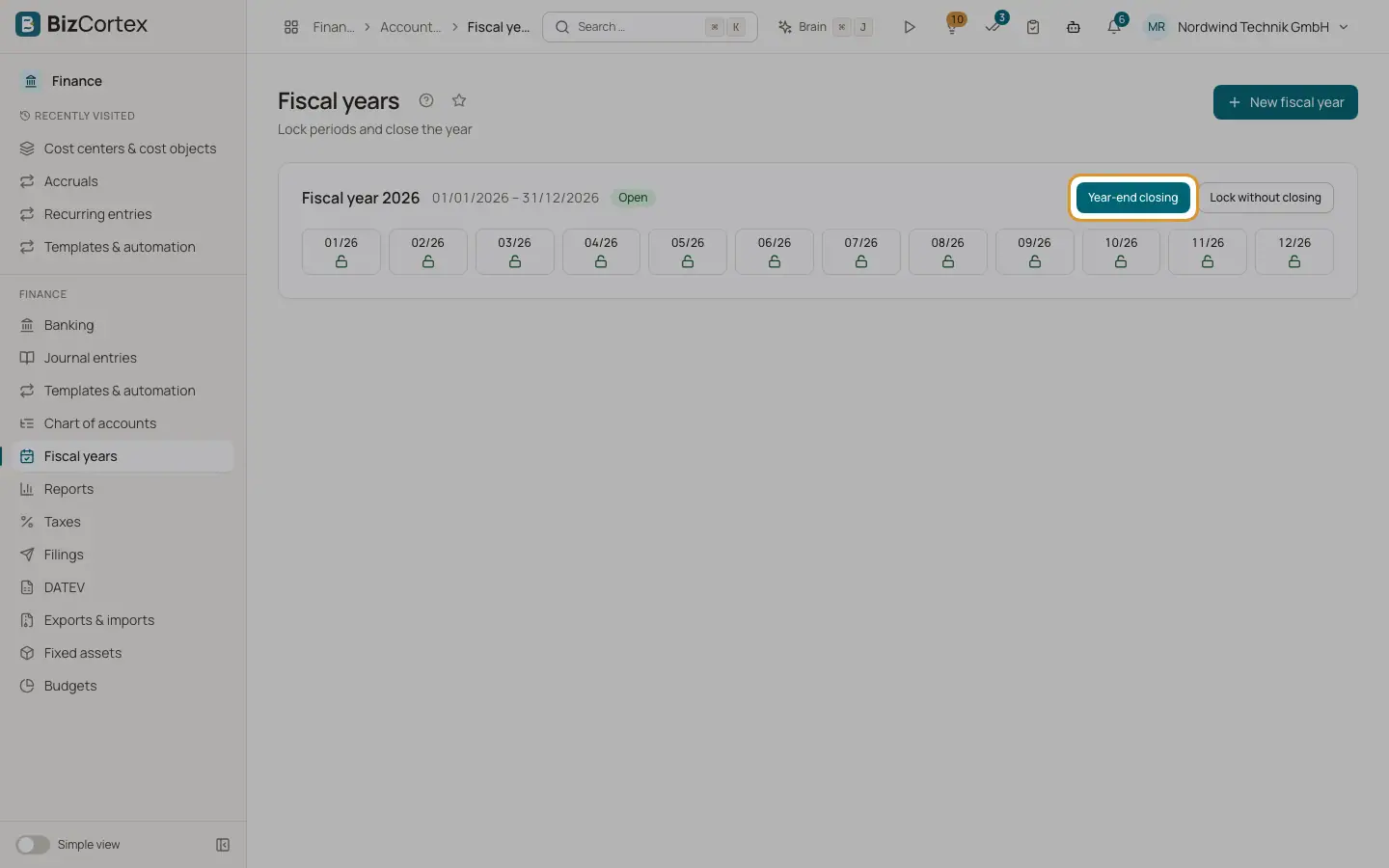
Open Finance, Fiscal years and click "Year end closing" on the card of an open fiscal year. The wizard posts three entries for you:
1. The P&L closing, dated on the last day of the year: every income and expense account is set to zero against the profit carry forward account (SKR03 0860, SKR04 2970). 2. The closing balance, dated on the last day of the year: every balance sheet account is set to zero against the carry forward account 9000. 3. The opening balance of the next year, dated on its first day: the balance sheet balances are carried forward.
Afterwards the year is closed and locked for postings. Reports as of the last day of the year still show the figures before closing, so the balance sheet and P&L of the closed year stay readable.
Who can use this
- Owner
- Admin
- Accountant
Steps
1. Start the wizard
Click "Year end closing". The wizard shows a preview: the net profit or net loss, the carry forward account, the number of balance sheet accounts and of P&L accounts with a balance.
2. Check the blockers
The checklist shows whether all periods are locked. If some are open, they are listed. Other blockers, for example an earlier fiscal year that is still open, are shown in red and must be solved first.
3. Lock open periods
If periods are still open, tick "Lock the open periods now". They are locked as part of the closing.
4. Post the closing
Click "Post year end closing". The result shows the net income and links to the P&L closing, the closing balance and the opening balance entries.
5. Reopen if needed
On a closed year click "Reopen" and confirm. The closing and opening entries are reversed and the year is open again. This is only possible while the next year has no other postings. The periods stay locked; unlock them one by one if you need to post.
Fields and options
- Net income
The result of the year: net profit or net loss.
- Carry forward account
The account that receives the result.
- Closing history
Below the month tiles: each closing with time, net income, links to the entries and, if reopened, the reopening time.
Good to know
- The previous fiscal year must be closed first.
- If the following fiscal year is already closed, the closing is refused.
- A year can only be reopened if the following fiscal year is not closed and has no postings other than the opening entry.
- The account numbers above are those of SKR03 and SKR04. Other charts use the matching accounts of their country.
Related
- Fiscal years
Create fiscal years with their monthly periods and see their status.
- Opening balances
Enter the opening balances of your balance sheet accounts when you start with BizCortex.
- Balance sheet
Assets, equity and liabilities at a reporting date, in the structure of § 266 HGB.