Budget vs. actual
Compare planned values with the actual ledger figures per account, for any range of months.
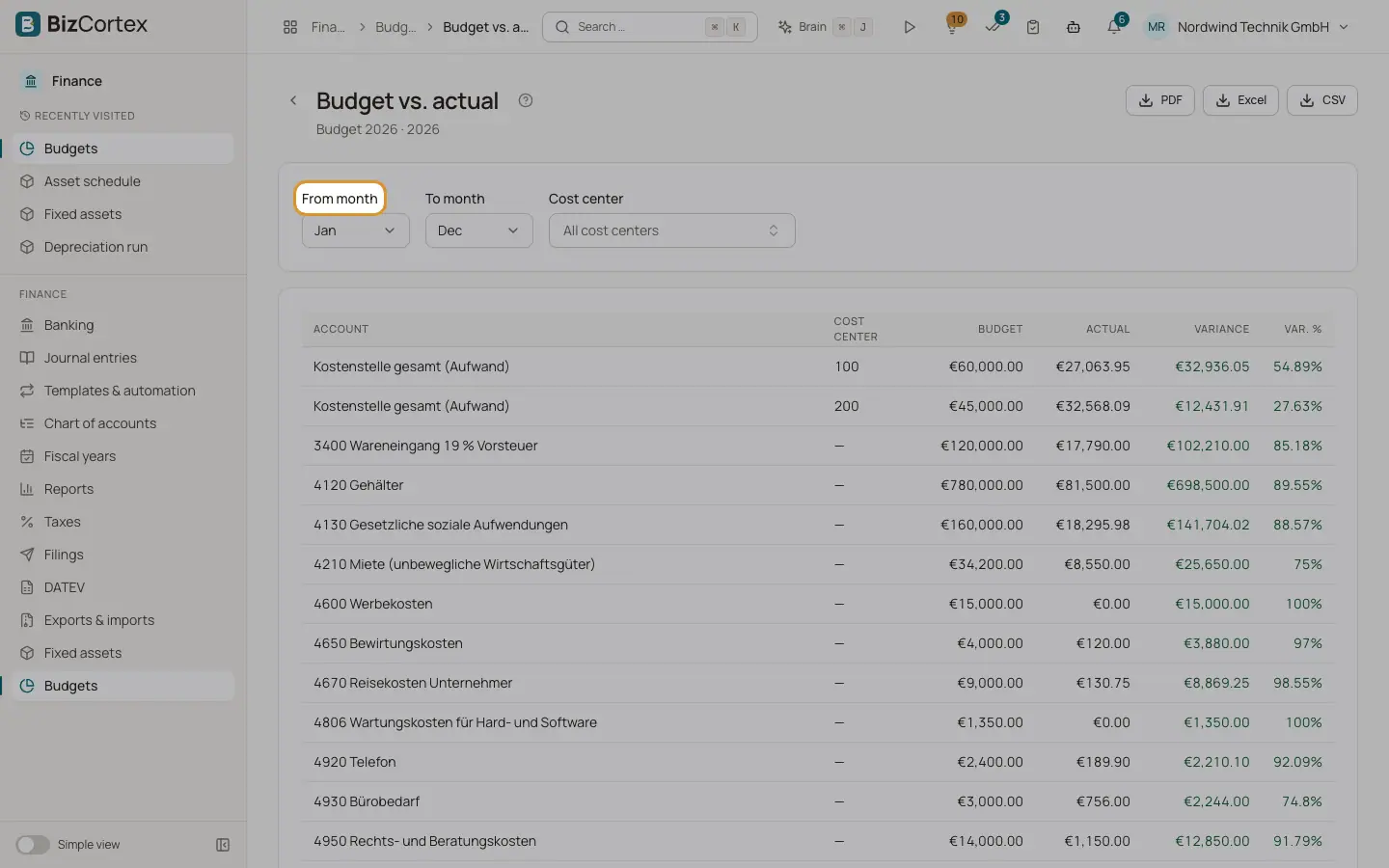
Choose "Budget vs. actual" for a budget. The table lists each account and cost center with Budget, Actual, Variance and Var. %. Below it a bar chart compares budget and actual per account. Actual figures come from the posted journal entries; year end closing entries are ignored.
Who can use this
- Owner
- Admin
- Accountant
- Viewer
Steps
1. Choose the months
Set "From month" and "To month". Lump sums for the year are counted in proportion to the number of months.
2. Filter by cost center
Choose a cost center, or leave "All cost centers".
3. Read the colours
Variances in red mean over budget: an expense above plan or an income below plan. Green means within budget.
4. Export
Use PDF, Excel or CSV at the top right.
Fields and options
- Variance
Budget minus actual.
- Var. %
The variance in percent of the budget.
- Grand total
Totals of all rows.
Related
- Planning in the budget grid
Enter planned amounts per account and cost center for the year or for each month.
- Cost center analysis
The P&L accounts per cost center or per cost object, as a matrix.