Currencies and exchange rates
Maintain foreign currencies and their exchange rates, manually or from the European Central Bank.
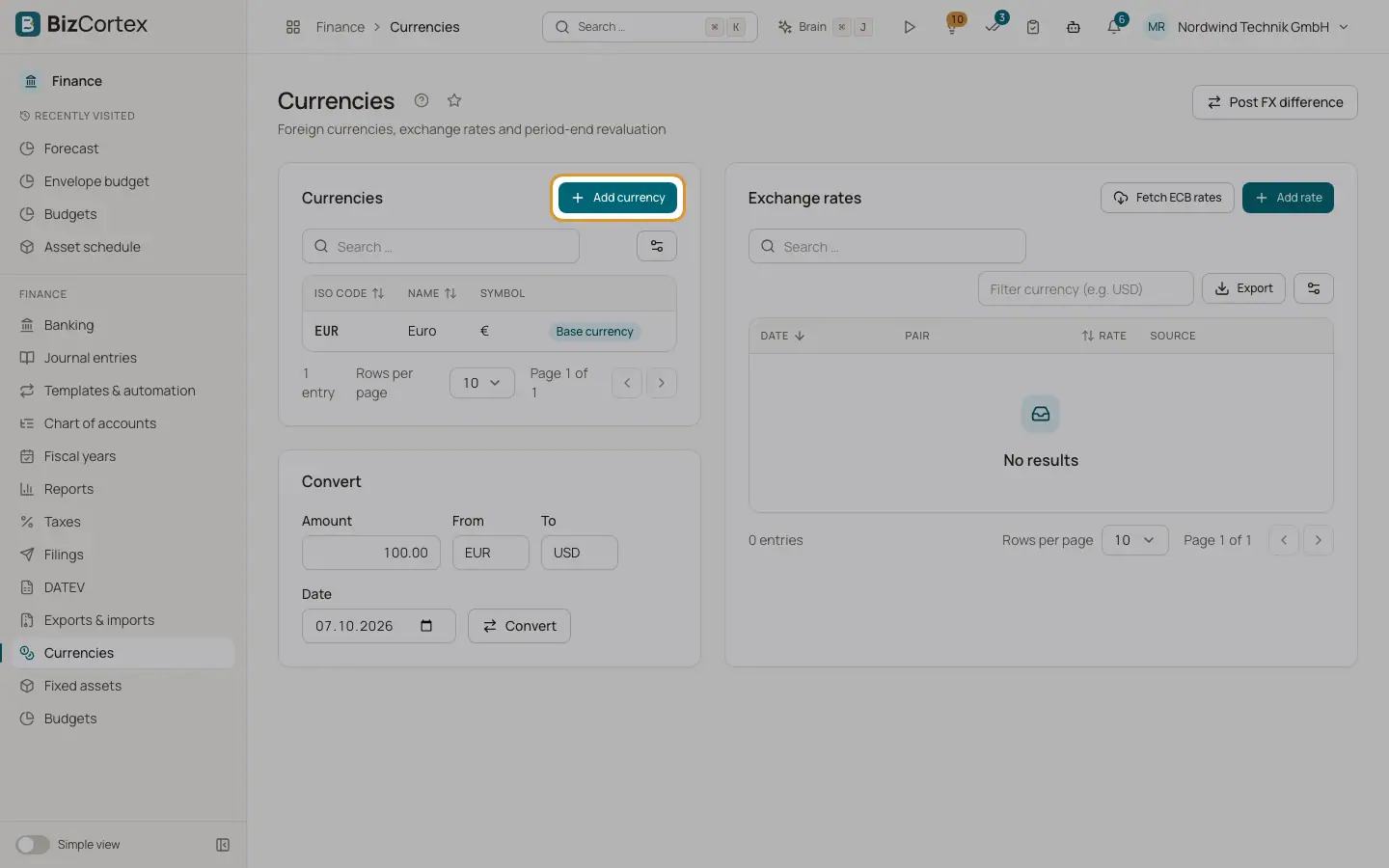
Open Finance, Currencies (sidebar item Currencies and rates). You need this when you send or receive invoices in a currency other than your base currency. The page has three cards: Currencies, Exchange rates and Convert.
Rates follow the convention of the European Central Bank: 1 unit of the source currency equals rate times the target currency. Conversions between two foreign currencies go through the euro.
If set up, the Live rates card also shows the current market rate next to the official ECB rate.
Who can use this
- Owner
- Admin
- Accountant (change)
- Sales, Purchase and Viewer (read only)
Steps
1. Add a currency
Click "Add currency". Enter the ISO code (three letters, for example USD), the Name and the Symbol, and leave Active on.
2. Activate or deactivate
Use the row menu. The base currency is marked "Base currency" and cannot be deleted.
3. Fetch ECB rates
Click "Fetch ECB rates". BizCortex loads the reference rates of the European Central Bank. A message shows the date and how many rates were stored and how many were already present. BizCortex also fetches them automatically every working day at about 16:30.
4. Add a rate by hand
Click "Add rate". Enter From, To, the Rate (up to 6 decimals) and the Date.
5. Filter and delete rates
Type a code in "Filter currency" to show only its rates. Delete a wrong rate with the row menu.
6. View live rates
The Live rates card shows the official ECB rate and the live rate, refreshed about every 30 minutes, for each currency. The converter also shows the result at the live rate below the official result. A narrow strip in the header shows the change of the S&P 500, Nasdaq 100, Euro Stoxx 50 and DAX in percent, plus gold and your currencies. Click it to open the full list. Turn the strip off for yourself in the user menu or with "Hide from header".
Fields and options
- Pair
From currency and to currency.
- Rate
Units of the target currency for 1 unit of the source currency.
- Source
manual or ECB.
Good to know
- Live rates are for information only. Invoices, bills and journal entries always use the official ECB rate of the booking date. The indices are shown through US listed ETFs priced in US dollars and are delayed. A value that has not been updated for a while is marked as stale.
- The base currency is set when the company is created and cannot be added or deleted here.
- When no rate exists for a date, the latest rate before that date is used.
Related
- Currency converter
Convert an amount between two currencies with the stored rates.
- Realised exchange differences
Post the gain or loss that arises when a foreign currency receivable or payable is paid at a different rate.
- FX revaluation at period end
Revalue open foreign currency items and accounts at the closing rate, with automatic reversal.