EC sales list (ZM)
Quarterly list of tax free supplies and services to business customers in other EU countries.
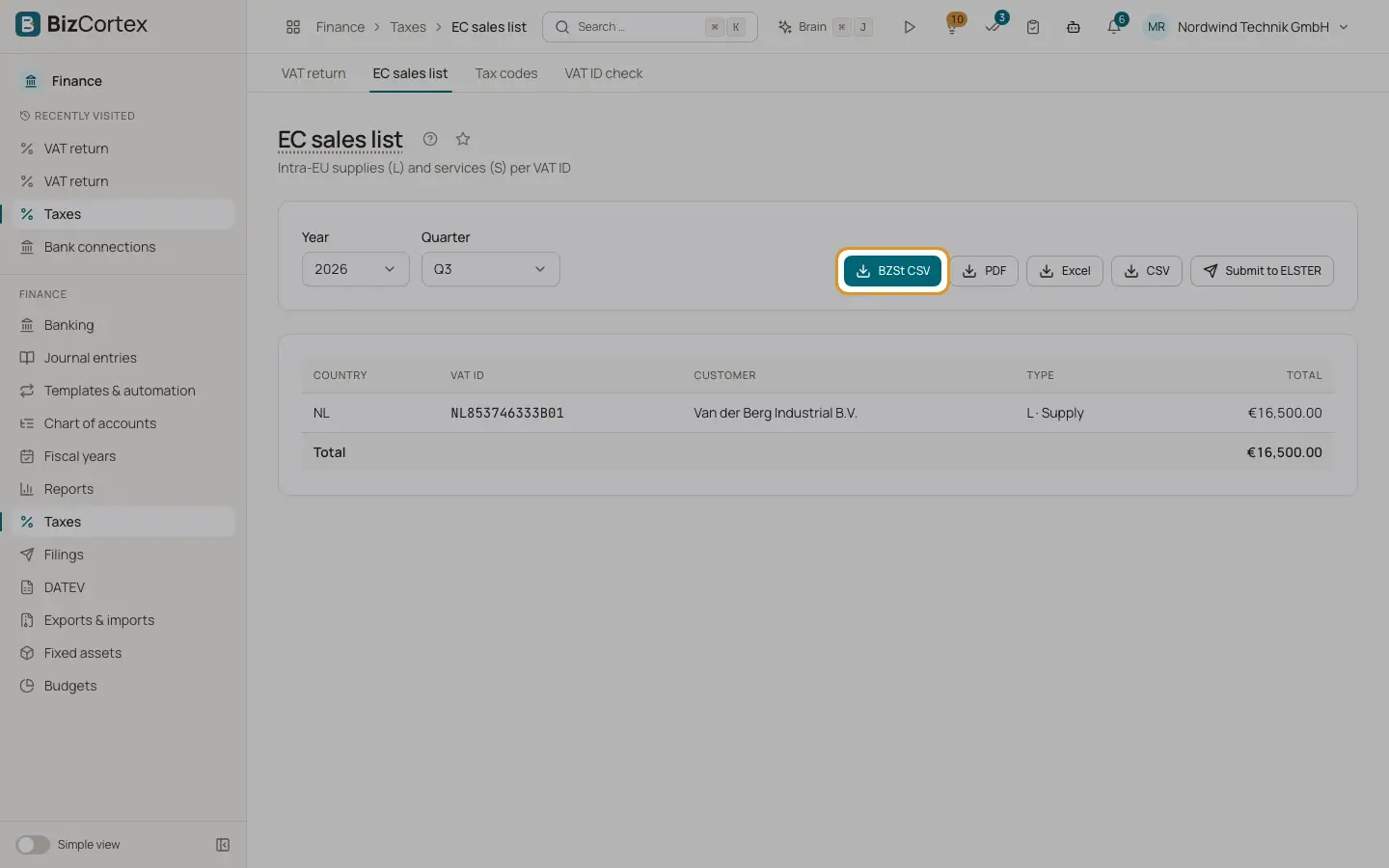
The EC sales list (Zusammenfassende Meldung) reports, per customer VAT ID, your intra EU supplies of goods and your EU services. Open Taxes, then "EC sales list". The page always works by quarter.
Who can use this
- Owner
- Admin
- Accountant
- Anyone with the Tax return read permission
Steps
1. Choose the quarter
Choose year and quarter.
2. Review the lines
Each line shows country, VAT ID, type, customer and total. Type L is a supply of goods, S is a service, D is a triangular transaction.
3. Download
Click "BZSt CSV" for the import file of the German Federal Central Tax Office portal, or "PDF", "Excel" or "CSV".
4. Submit through ELSTER
German companies can send the ZM through ELSTER. It is created as a draft under Filings.
Good to know
- Lines come from postings with the categories "Intra EU supply" (type L) and "EU service" (type S).
- A customer without a VAT ID cannot be reported. Such amounts appear as a warning with the customer name.
- If nothing is reportable, the page says "No reportable sales in this quarter".
Related
- Tax codes
View and maintain the VAT codes with their rate, category, return boxes, DATEV key and OSS country.
- Checking a VAT ID
Check the format and check digit of a VAT ID and optionally ask the EU VIES service.
- ELSTER: sending German tax returns
Create German tax returns as drafts, check them with ERiC and send them to the tax office through ELSTER.