Envelope budget
Give every available euro a job and see what is left in each envelope, month by month.
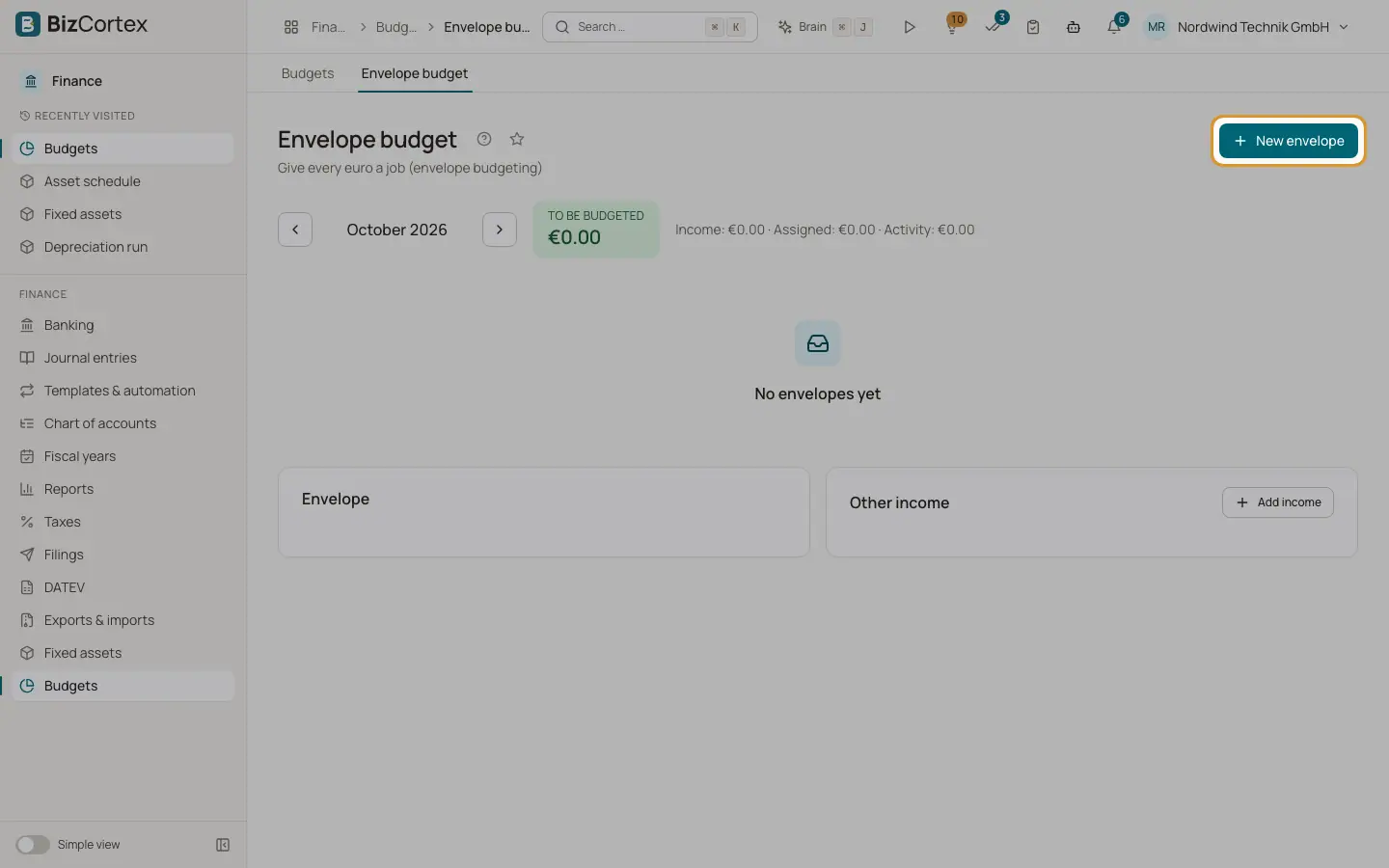
Open Finance, Budgets, Envelope budget. Envelope budgeting is a simple way to manage cash: you assign the money you have to envelopes such as Rent, Marketing or Travel. Each envelope is linked to expense accounts, so spending is taken from the ledger automatically. The big figure at the top shows "To be budgeted", the money not yet assigned, or "More assigned than available" when it is negative.
Who can use this
- Owner
- Admin
- Accountant
- Viewer (read only)
Steps
1. Create envelopes
Click "New envelope". Enter the Envelope name, an optional Group and a Sort order. Under "Mapped accounts" click "Map account" to link one or more accounts.
2. Create an income category
Switch on "Income category" when you create an envelope for income accounts. Its postings increase the money to be budgeted. This setting cannot be changed later.
3. Add other income
Under "Other income" click "Add income" to record money that is not in the ledger, with date, amount and description.
4. Assign money
Type an amount in the Assigned column of an envelope. It is saved when you leave the field.
5. Move between months
Use the arrows "Previous month" and "Next month".
Fields and options
- Carryover
What was left in the envelope at the end of the previous month.
- Assigned
The amount you gave the envelope this month.
- Activity
The actual spending on the mapped accounts this month.
- Available
Carryover plus assigned minus activity.
- Roll overspending into the next month
On: a negative balance is carried into the next month. Off: the next month starts at zero.
Good to know
- Income categories cannot be assigned money.
- Envelope names must be unique.
Related
- Budgets
Create yearly budgets with planned values per account, cost center and month.