Journal entries
The journal of all posted entries, and the detail view of a single entry.
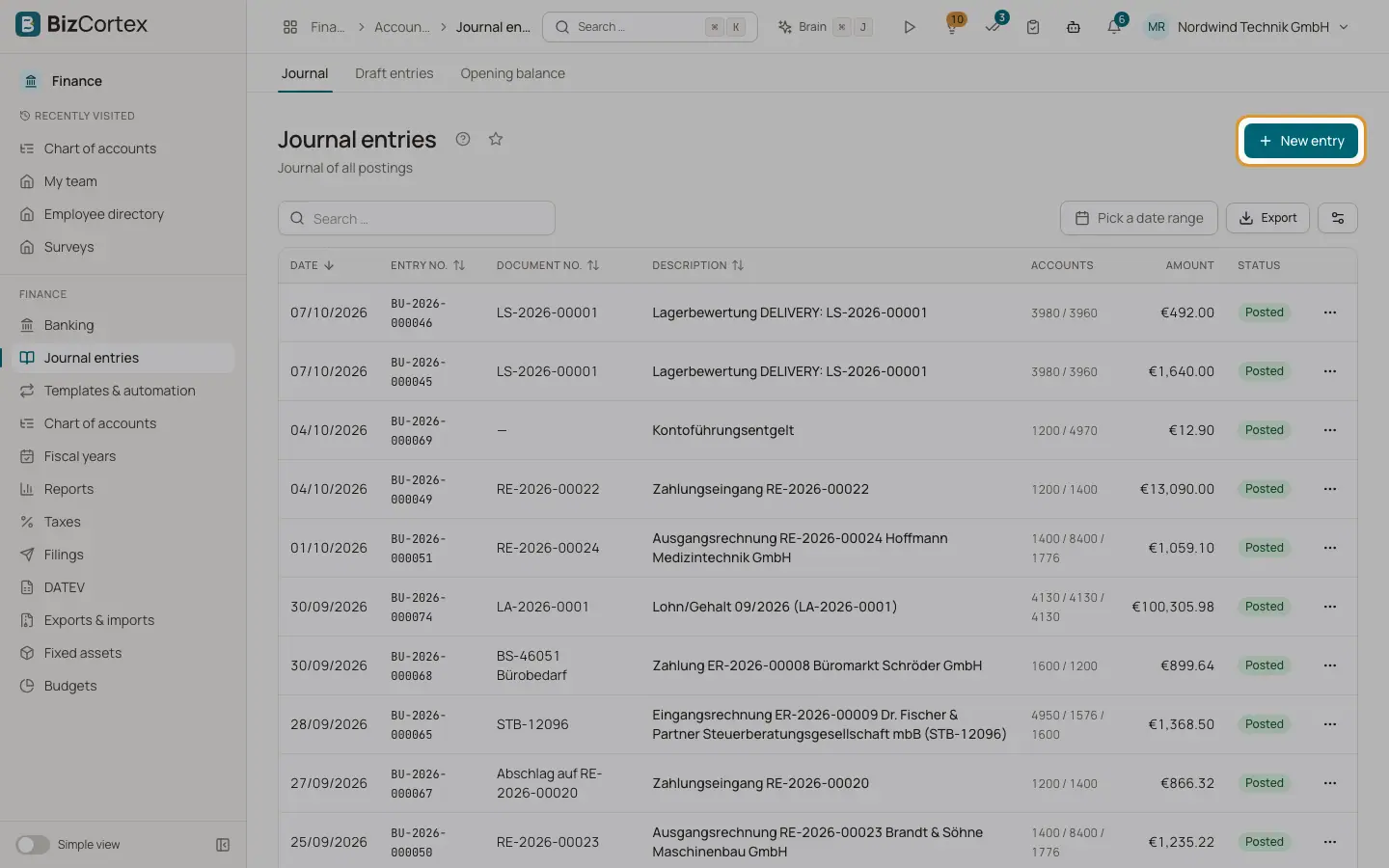
Open Finance, Journal entries (the sidebar item is called Journal). The list shows every posted entry of your company: manual bookings and the entries that BizCortex creates automatically for invoices, bills, payments, depreciation, accruals, recurring entries, opening balances, year end closing and intercompany postings.
Who can use this
- Owner
- Admin
- Accountant
- Viewer
Steps
1. Filter by date
Use the date range picker in the toolbar. The list is sorted by date, newest first. Click a column header such as Date, Entry no., Document no. or Description to sort.
2. Search and export
Use the search field to find entries. The Export button downloads the current list as CSV or Excel (XLSX). Use the Columns button to hide or show columns.
3. Open an entry
Click a row. The detail page shows the date, entry number, document number, source, the time of posting and a reversal link if the entry was reversed or is itself a reversal.
4. Read the lines
Each line shows the account (click it to open the account ledger), description, tax code, cost center, cost object, the foreign currency amount and rate if any, and the debit or credit amount. The footer shows the totals.
5. See the history
Below the lines you find the activity history of the entry, for example who posted or reversed it.
6. Record a new booking
Click "New entry". This opens the editor for a new draft entry.
Fields and options
- Entry no.
A running number given at posting. It never changes.
- Document no.
The reference you entered, for example the invoice number.
- Accounts
The account numbers of the first three lines.
- Amount
The sum of the debit side.
- Status
Posted, Reversed (a reversal exists) or Reversal (this entry reverses another one).
Good to know
- Posted entries are immutable. There is no edit or delete button. Use "Reverse" and post a corrected entry.
Related
- Draft entries and the journal entry editor
Prepare entries as drafts, check them, and post them to the ledger one by one or in bulk.
- Reversing a journal entry
Correct a posted entry by posting a reversal (Storno) with swapped debit and credit.
- Posting rules and immutability
The checks every posting must pass and why posted entries can never be changed.