Depreciation run
Post the monthly depreciation of all assets to the general ledger.
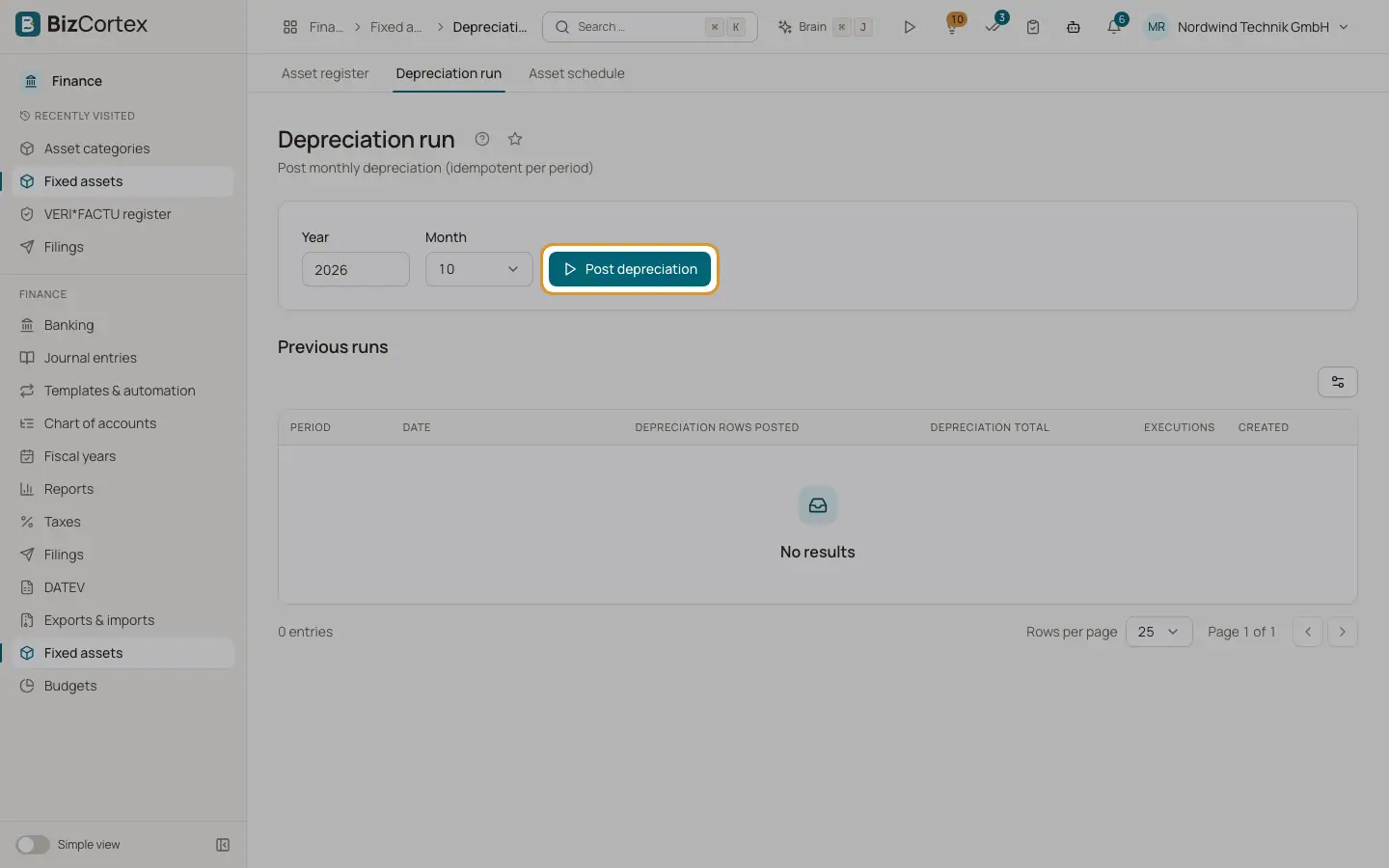
Open Finance, Fixed assets, Depreciation run, or use the quick task "Post the depreciation run". The run posts every planned depreciation row up to the end of the chosen month, for all active assets, as one journal entry per asset dated at the month end.
Who can use this
- Owner
- Admin
- Accountant
Steps
1. Choose the period
Enter the Year and choose the Month. The current month is preselected.
2. Post
Click "Post depreciation". The Result card shows the period, the number of newly posted rows, the depreciation total and the number of postings.
3. Check the history
The table "Previous runs" lists every period with its date, depreciation rows posted, depreciation total, number of executions and creation time.
Good to know
- You can run a period again safely. Rows already posted are never posted twice. If nothing new is due, the result says "The period was already fully posted."
- Running again posts rows that became due since, for example for assets added later.
- The depreciation run is not scheduled automatically. Start it every month, or before each report.
- An asset without an asset account stops the run with an error; set the account on the asset first.
Related
- Asset detail page
Overview, depreciation schedule, disposals and history of one asset.
- Asset schedule (Anlagenspiegel)
The development of fixed assets in a year: cost, additions, disposals, depreciation and book values.