Tax settings
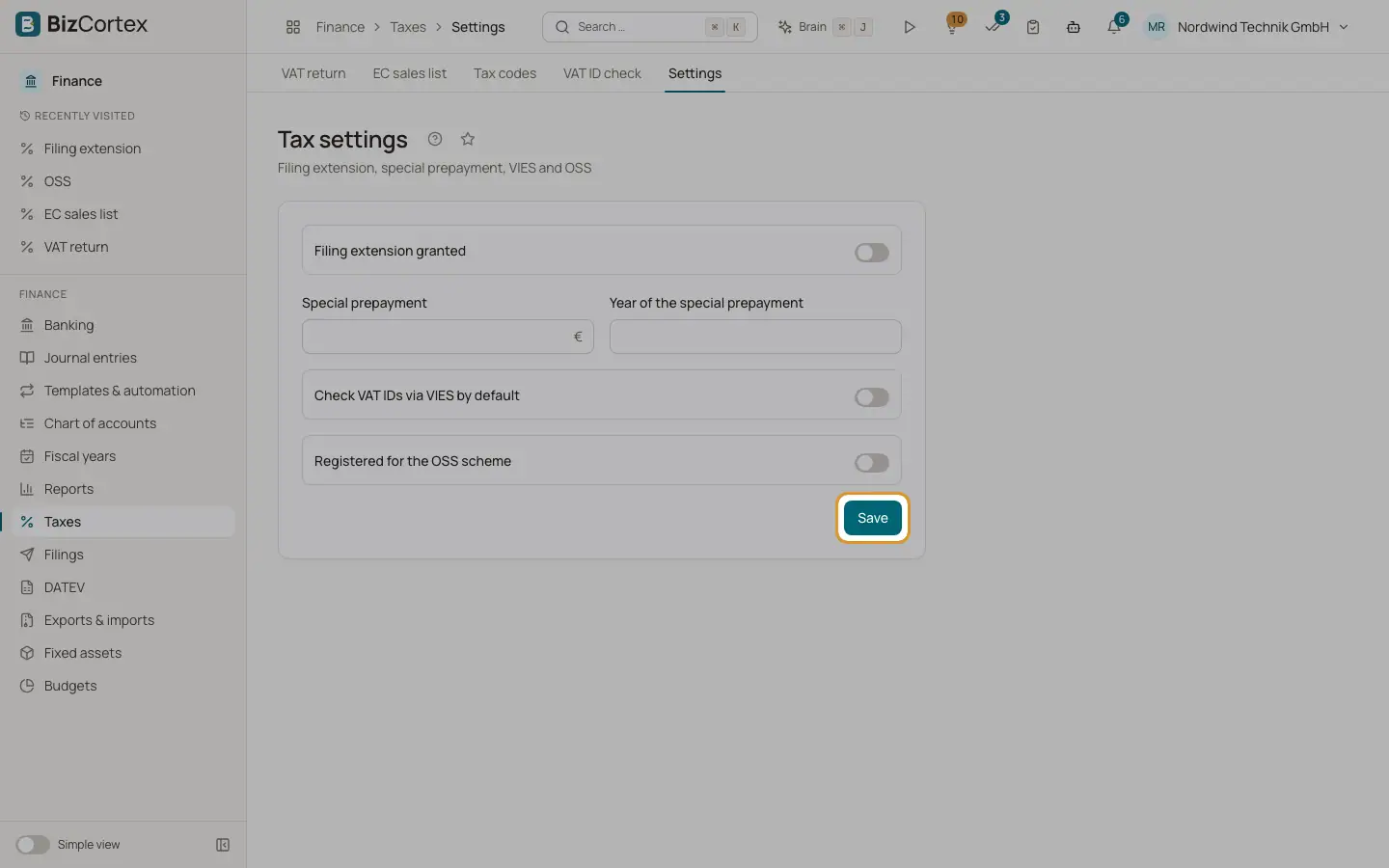
Filing extension, special prepayment, VIES default and OSS registration.
Open Taxes, then "Settings" (advanced navigation). Users without the write permission see the values read only.
Who can use this
- Owner
- Admin
- Accountant
- Anyone with the Tax settings write permission (to change)
Steps
1. Change and save
Change the values and click "Save".
Fields and options
- Filing extension granted
Switch on if the tax office granted the permanent filing extension.
- Special prepayment
The amount of the special prepayment. Shown when the extension is on.
- Year of the special prepayment
The year the amount belongs to. Box 39 is filled only for this year; empty means any year.
- Check VAT IDs via VIES by default
Preselects the VIES lookup on the VAT ID check page.
- Registered for the OSS scheme
Switch on if you take part in the One Stop Shop.
Related
- Filing extension and special prepayment
Calculate the special prepayment for the German permanent filing extension and post it.
- Checking a VAT ID
Check the format and check digit of a VAT ID and optionally ask the EU VIES service.
- OSS return
One Stop Shop report of sales to consumers in other EU countries, per country and rate.