Splitting a bank line and booking to an account
Spread one bank line over several invoices, bills or accounts, or post it straight to a counter account with VAT.
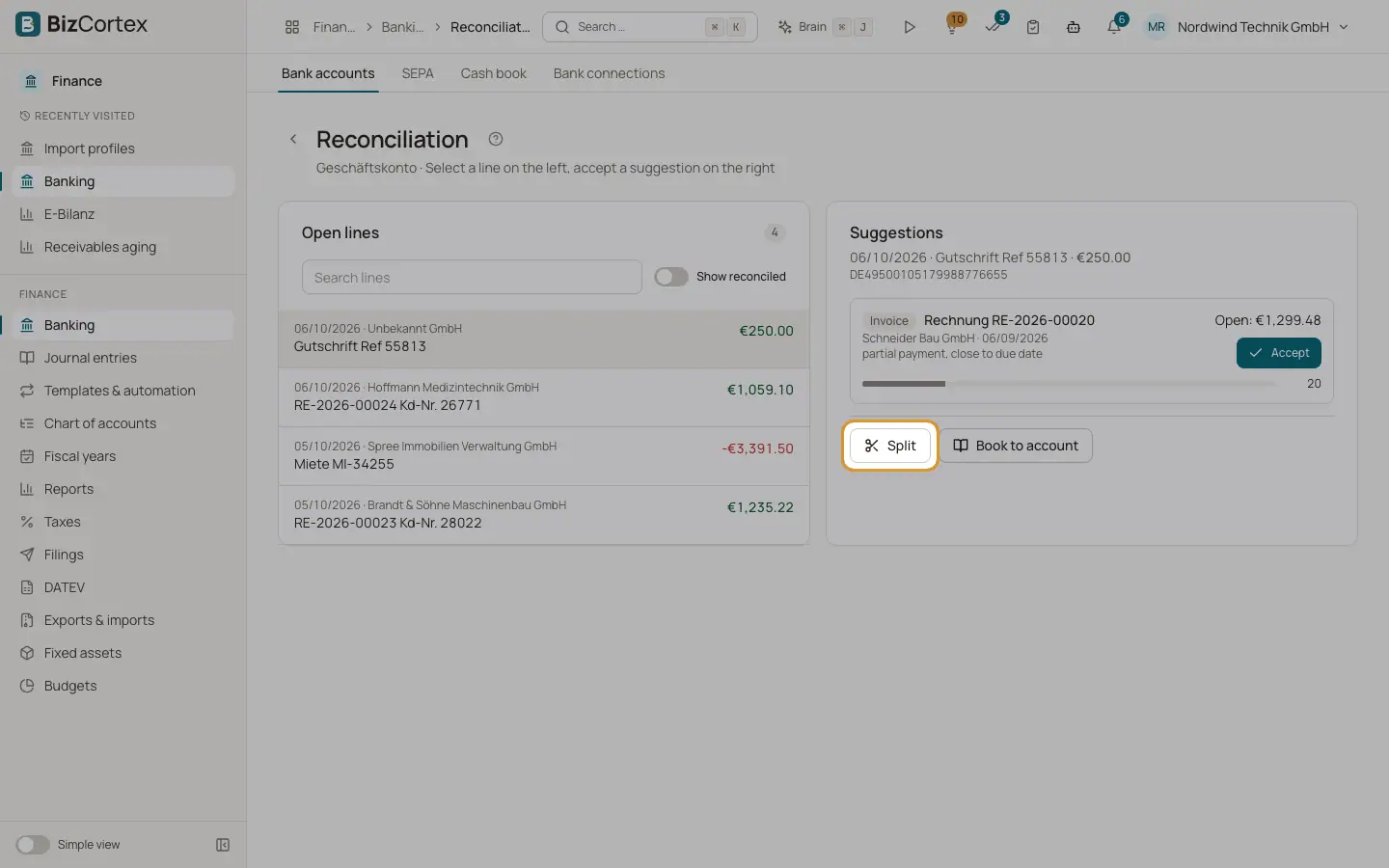
Sometimes one payment covers several invoices, or a payment contains a fee. The "Split" dialog lets you allocate one bank line to several parts. The "Book to account" dialog is the short form for a line that belongs to one account, such as bank charges or rent.
Who can use this
- Owner
- Admin
- Accountant
- Anyone with the Banking transaction write permission
Steps
1. Open the dialog
In the reconciliation workspace, select a line and click "Split" or "Book to account".
2. Choose the type of each part
For each part choose a "Type": Account for a direct posting; Invoice for incoming money; Bill for outgoing money.
3. Fill in the part
For Account, choose the "Counter account", optionally a "Tax code" (or "no tax") and a "Cost center". For Invoice or Bill, choose the document. Enter the amount.
4. Add more parts
Click "Add part" for every further allocation. The bottom of the dialog shows "Line amount", "Allocated" and "Remaining".
5. Post
Click "Split and post" (or "Post" in Book to account). This is possible only when the parts add up exactly to the line amount.
Fields and options
- Tax code
When you choose a tax code, the gross amount is split into net and VAT using the rate of the code, and the VAT goes to the tax account of the code.
- Cost center
Optional cost center for the posting.
Good to know
- Self assessed tax codes (§ 13b reverse charge and intra EU acquisition) cannot be used here. Post such cases through a supplier bill.
- A tax code without a tax account cannot be used for a part with VAT.
- The same document may appear only once in a split.
- If the accounting period of the bank line date is locked, the posting is refused.
Related
- Reconciling bank transactions
Match each bank line with an invoice, a bill, a journal entry or an account, using scored suggestions.
- Undoing a reconciliation
Reverse direct postings and remove links of a reconciled bank line.
- Tax codes
View and maintain the VAT codes with their rate, category, return boxes, DATEV key and OSS country.