Cash flow statement
Cash flow from operating, investing and financing activities, plus the movements of cash and bank accounts.
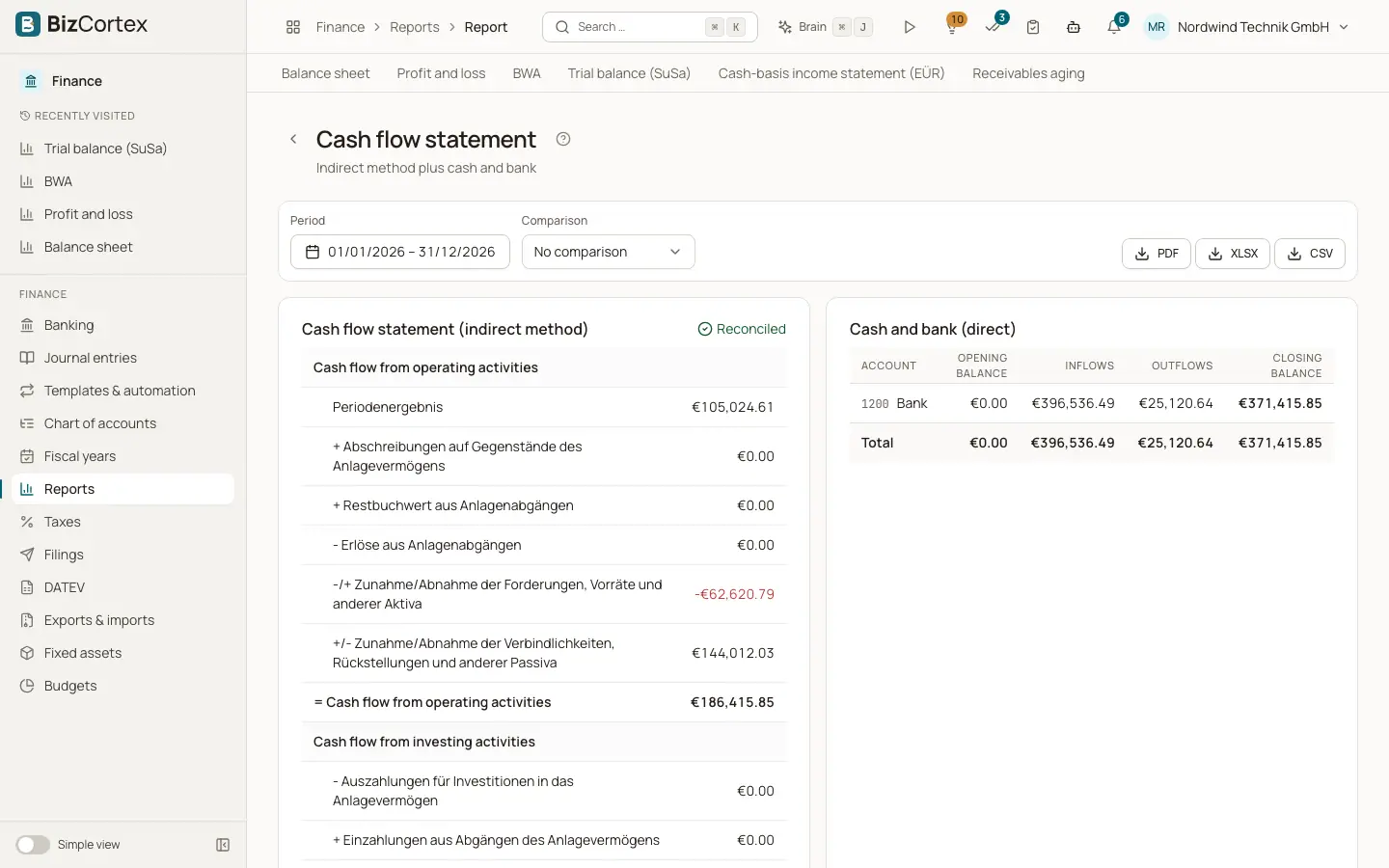
Open Finance, Reports, Cash flow statement. The report has two parts.
The first card is the cash flow statement with the indirect method (simplified DRS 21). It starts from the result of the period, adds back depreciation and disposal book values, applies the changes in working capital, and shows investing activities (capital expenditure and disposal proceeds) and financing activities (changes in equity and financial debt). The flag "Reconciled" shows that the calculated net change in cash equals the actual change of your cash and bank accounts.
The second card, Cash and bank (direct), lists every cash and bank account with opening balance, inflows, outflows and closing balance.
Who can use this
- Owner
- Admin
- Accountant
- Viewer
Fields and options
- Cash flow from operating activities
Result plus non cash items and working capital changes.
- Cash flow from investing activities
Purchases and sales of fixed assets.
- Cash flow from financing activities
Equity and loan changes.
- Net change in cash
The sum of the three areas, and the comparison if selected.
Good to know
- The cash flow statement cannot be filtered by cost center or cost object.
- Interest and taxes stay in operating activities.
- Cash accounts are the cash and bank accounts of the chart plus every account linked to a bank account in Banking.
Related
- Reports: overview, filters and exports
Open financial reports, filter them, compare periods, drill down and export them as PDF, Excel or CSV.