Checking a VAT ID
Check the format and check digit of a VAT ID and optionally ask the EU VIES service.
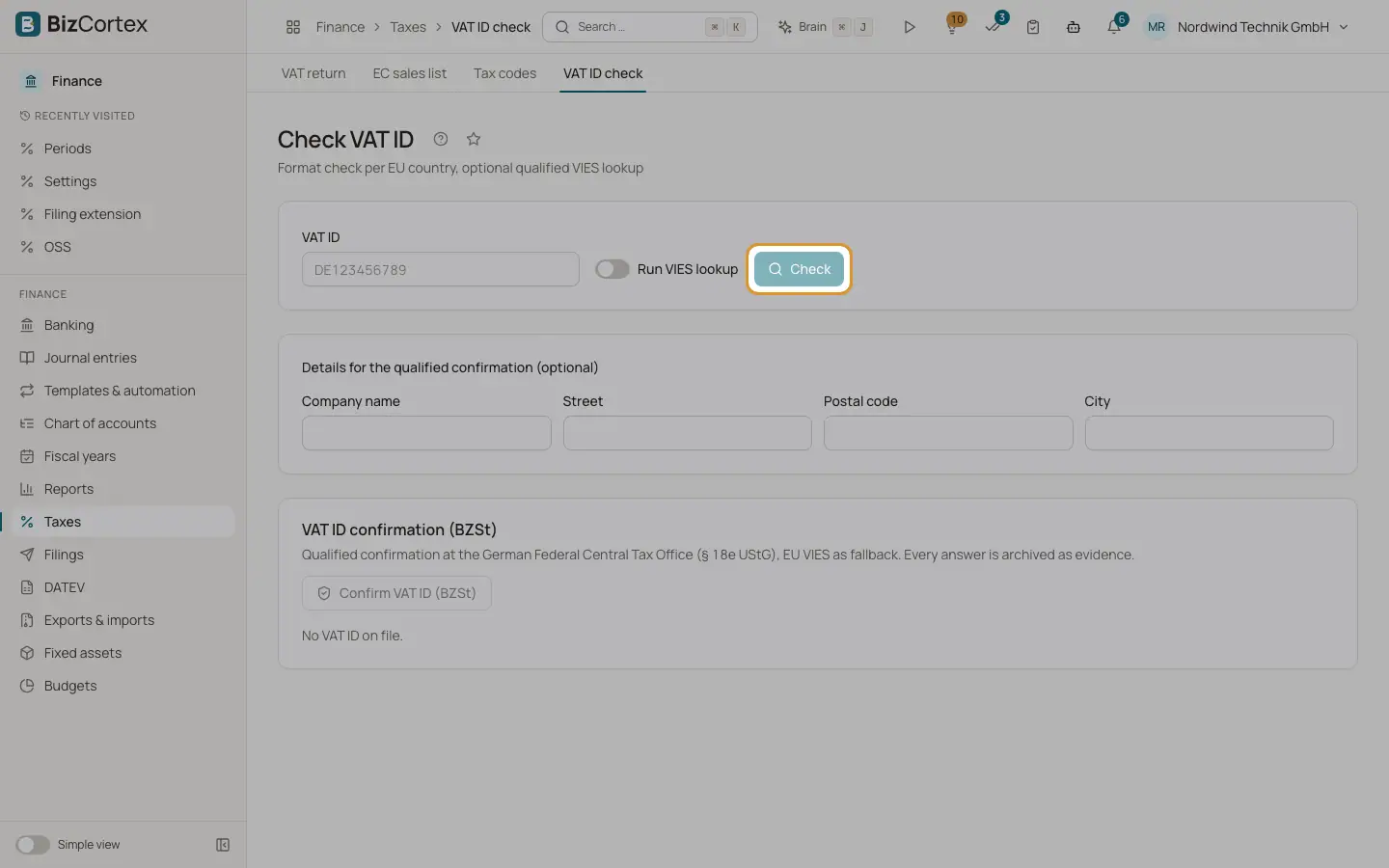
Open Taxes, then "VAT ID check". Enter a VAT ID and click "Check". BizCortex checks the format for the EU country and the check digit locally. With "Run VIES lookup" switched on, it also asks the EU VIES service whether the number is valid and returns the registered name and address.
Who can use this
- Owner
- Admin
- Accountant
- Sales
- Purchase
- Anyone with the Tax VAT ID read permission
Steps
1. Enter the VAT ID
Type the number with its country prefix, for example ATU12345678.
2. Choose VIES
Switch "Run VIES lookup" on or off. The default comes from the tax settings.
3. Read the result
You see the country, "Format", "Check digit" and "VIES", each as valid, invalid or not checked, plus name and address when VIES returns them. VIES errors are shown in orange.
Tips
- For legal evidence, use the qualified confirmation below the result. See the next page.
Related
- Qualified VAT ID confirmation (BZSt)
Get a qualified confirmation of a foreign EU VAT ID from the German Federal Central Tax Office, archived as evidence.
- EC sales list (ZM)
Quarterly list of tax free supplies and services to business customers in other EU countries.