Planning in the budget grid
Enter planned amounts per account and cost center for the year or for each month.
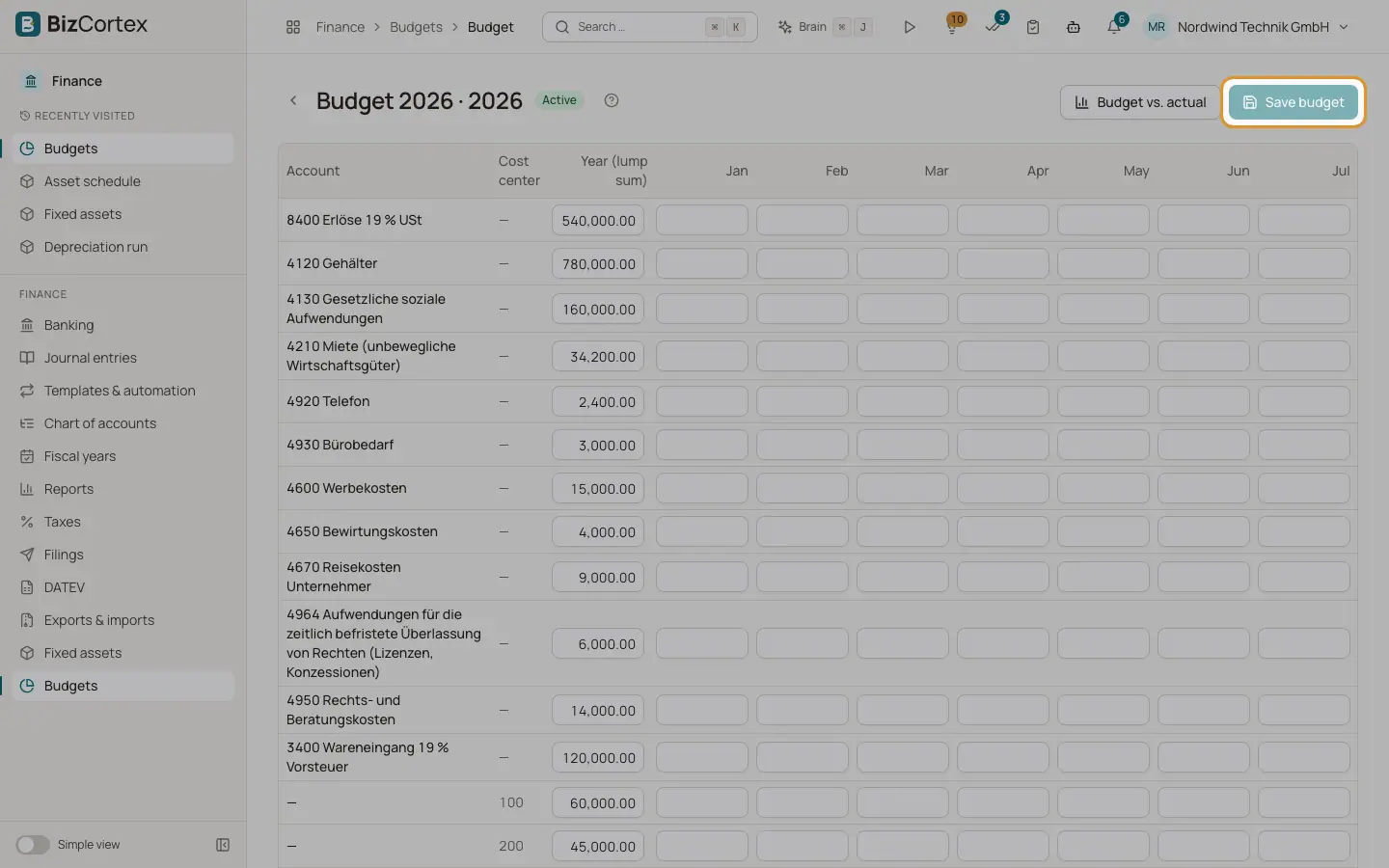
Choose "Edit plan" for a budget. The grid has one row per account and cost center, a column "Year (lump sum)", one column for each month and a Total column. The last row shows the total of each column and the grand total.
Who can use this
- Owner
- Admin
- Accountant
Steps
1. Add a row
At the bottom choose an account, a cost center, or both, and click "Add row". A row with only a cost center plans all expenses of that cost center.
2. Enter amounts
Type an amount for the year as a lump sum, or for single months. You can combine both.
3. Remove a row
Click the bin icon at the end of the row.
4. Save
The hint "Unsaved changes" appears as soon as you change something. Click "Save budget".
5. Compare
Click "Budget vs. actual" to open the comparison.
Tips
- A lump sum for the year is spread evenly over the months when you compare only part of the year.
Related
- Budget vs. actual
Compare planned values with the actual ledger figures per account, for any range of months.
- Cost centers and cost objects
Set up dimensions to analyse bookings by department, project or product.