Reports: overview, filters and exports
Open financial reports, filter them, compare periods, drill down and export them as PDF, Excel or CSV.
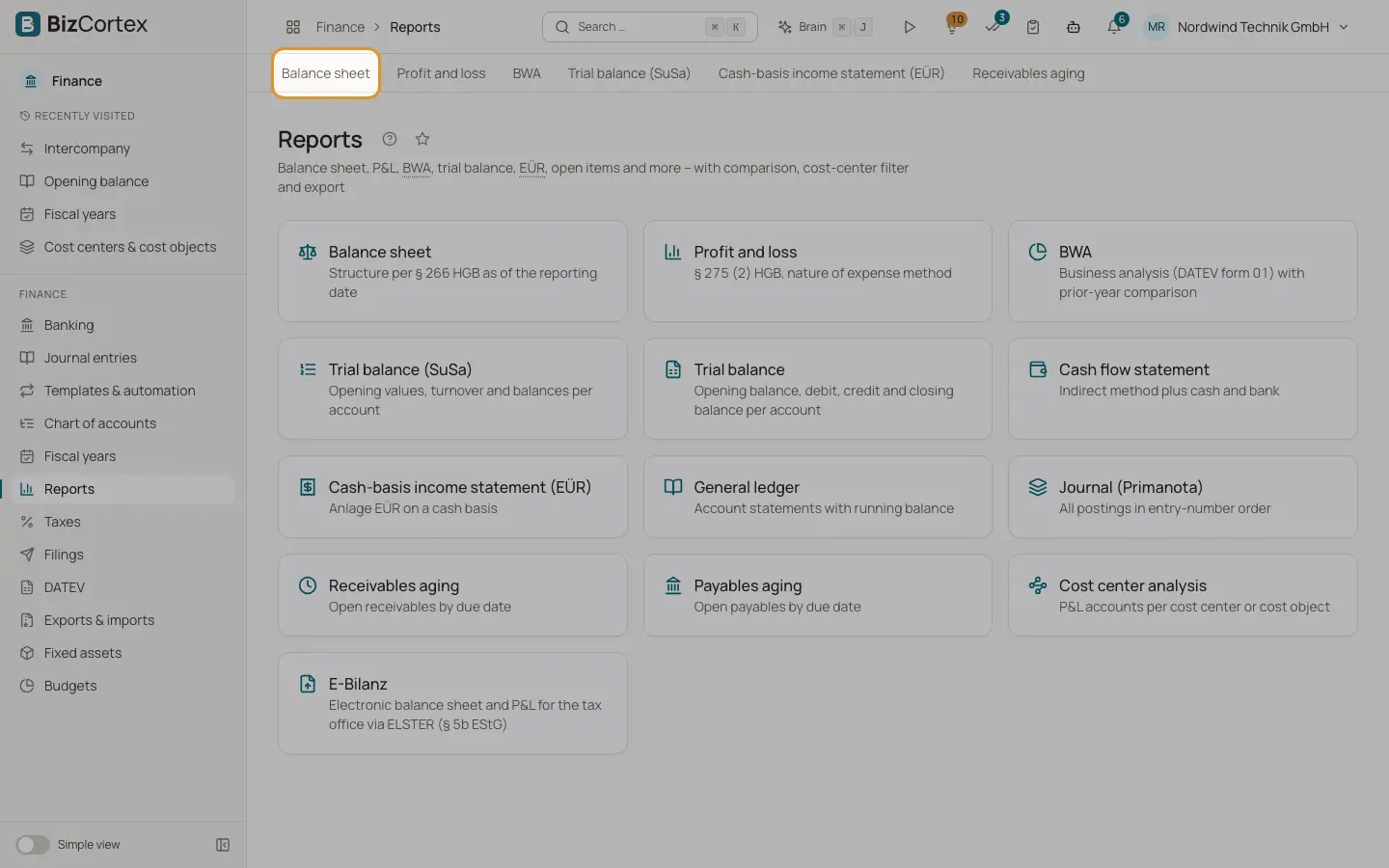
Open Finance, Reports. The report hub shows a card for every report: Balance sheet, Profit and loss, BWA, Trial balance (SuSa), Trial balance, Cash flow statement, Cash basis income statement (EÜR), General ledger, Journal (Primanota), Receivables aging, Payables aging and Cost center analysis. With the tax permission you also see the E Bilanz card.
All reports are calculated live from the posted journal entries. Drafts are never included. The layout of balance sheet, P&L, BWA and EÜR follows the country of your company and its chart of accounts.
Who can use this
- Owner
- Admin
- Accountant
- Viewer
Steps
1. Open a report
Click a card. The filter bar appears at the top, the report below it.
2. Set the filters
Each report shows only the filters it supports. The filters are stored in the address of the page, so you can bookmark a report or send the link to a colleague.
3. Compare
Where available, choose "Previous period" or "Previous year" under Comparison. Extra columns for the comparison and the variance appear.
4. Drill down
Click an account in a report to open its account ledger for the same period. In line based reports such as balance sheet, P&L and EÜR, click a line to expand the accounts behind it.
5. Export
Use the buttons PDF, XLSX and CSV at the right of the filter bar. The export uses exactly the filters you have set.
Fields and options
- Period
A date range with presets This month, Last month, This quarter, This year and Last year. Default: the current calendar year (for the BWA: the current month).
- As of
A single date for the aging reports. Default: today.
- Comparison
No comparison, Previous period or Previous year.
- Cost center and Cost object
Limit the report to journal lines with this cost center or cost object. Empty means All.
- Account, Account from, Account to
General ledger only: one account, or a range of account numbers.
- Posting type
Journal only: limit to one kind of posting.
- Dimension
Cost center analysis only: Cost center or Cost object.
Good to know
- If you clear the period, the report runs from the start of the fiscal year of the end date until today.
- The start date must be on or before the end date.
- The report mappings to statement lines are a curated set and should be reviewed by your tax advisor.
Related
- Report export formats
What you get when you export a report as PDF, Excel or CSV.
- Balance sheet
Assets, equity and liabilities at a reporting date, in the structure of § 266 HGB.
- Account ledger
All postings of one account in a period, with opening balance, running balance and closing balance.