E Bilanz preview
Check the electronic balance sheet and P&L for the German tax office before you submit it.
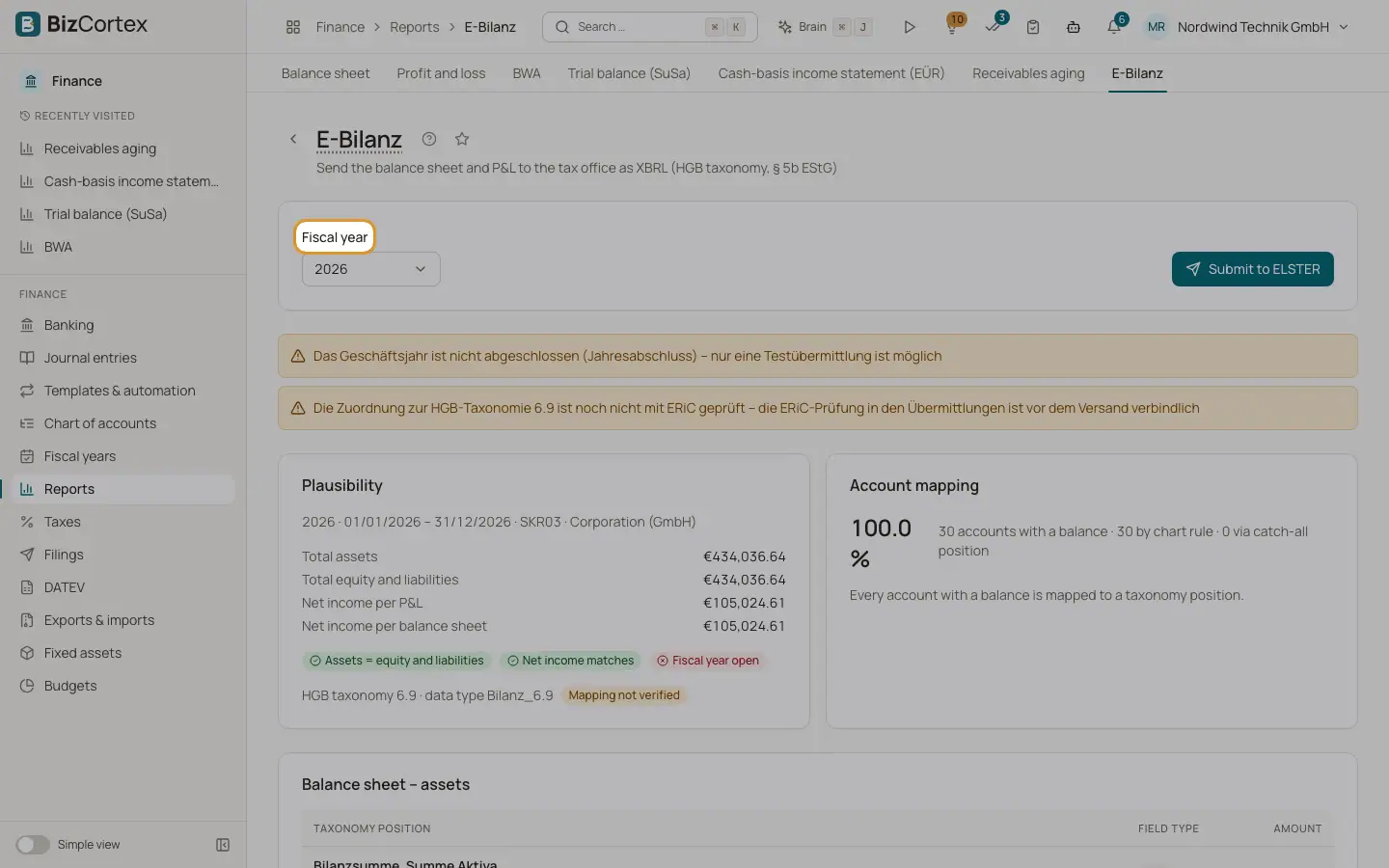
Open Finance, Reports and click the card E Bilanz. German companies must send their balance sheet and P&L to the tax office electronically in XBRL format (§ 5b EStG). This page builds it from your ledger with the HGB taxonomy and shows it before you submit.
Who can use this
- Owner
- Admin
- Accountant (with tax permission)
Steps
1. Choose the fiscal year
Select the Fiscal year at the top. If there is no fiscal year yet, the page says so.
2. Read the statements
The page shows four tables: Balance sheet assets, Balance sheet equity and liabilities, Income statement (nature of expense method) and Appropriation of profit. Each row shows the taxonomy position, the field type and the amount. Empty mandatory positions are sent as NIL.
3. Check the plausibility
The Plausibility card compares total assets with total equity and liabilities, and the net income of the P&L with the net income of the balance sheet. It also shows whether the fiscal year is closed and which taxonomy version is used.
4. Check the account mapping
The Account mapping card shows how many accounts with a balance were mapped by chart rule and how many through a catch all position. Unmapped accounts are listed with their provisional position.
5. Submit
Click "Submit to ELSTER". The E Bilanz is created as a draft in Submissions, where it is sent. The button is disabled while the data is not plausible.
Fields and options
- Mandatory sum field
A total the tax office requires.
- Mandatory field
A position the tax office requires.
- Mandatory field, account detail requested
Required, and the tax office wants the account details.
- Required for calculation, if present
Must be sent when it has a value.
Good to know
- The Limitations card lists what the current version does not cover. If the badge "Mapping not verified" is shown, have the mapping checked by your tax advisor.
- The E Bilanz card is only shown to users with the tax permission. The E Bilanz is a German requirement and uses the German HGB taxonomy.
Related
- ELSTER: sending German tax returns
Create German tax returns as drafts, check them with ERiC and send them to the tax office through ELSTER.
- Filings and connections
One list of everything BizCortex sends to tax offices, networks, banks and your tax adviser, with status, receipt and history, plus the connection settings.
- Balance sheet
Assets, equity and liabilities at a reporting date, in the structure of § 266 HGB.
- Year end closing
Close the profit and loss accounts, carry the balances forward and lock the year with a guided wizard.